
Ever felt that knot in your stomach when you glance at your marketing budget and wonder how much of it should go to video? You’re not alone – SaaS founders and product teams constantly wrestle with the trade‑off between splurging on glossy agency clips and skimping so much that the video never moves the needle.
What if you could pin down exactly what you’re paying for, and see a clear line‑item that says, “This $2,000 video will shave 15 % off our acquisition cost”? That’s the promise of a transparent video marketing pricing model: you set a single, measurable goal, budget the production cost, and then let the data tell you whether the spend paid off.
In practice, a startup might allocate $1,500 for a 30‑second demo that explains a new feature. They launch it on the pricing page, run an A/B test for two weeks, and discover a 22 % lift in trial sign‑ups. Multiply that lift by the average revenue per new user and you instantly see a return that dwarfs the initial outlay.
Here’s a quick checklist to keep your pricing grounded:
- Define one KPI (e.g., sign‑up conversion, support‑ticket reduction).
- Set a budget ceiling that aligns with the expected lift.
- Choose a production partner that delivers within 48‑72 hours so you can test fast.
- Track watch‑through, CTA clicks, and downstream revenue.
- Calculate ROI with the simple formula: (Incremental Revenue – Video Cost) ÷ Video Cost × 100 %.
Real‑world example: a bootstrapped founder used a concise onboarding clip costing $1,200. After a week of testing, the video cut first‑week support tickets by 30 %, saving the team roughly $3,600 in engineering time. That’s a 200 % ROI, and the numbers are easy to reproduce for the next feature.
Another scenario involves a product manager who needed to boost demo requests. By investing $2,000 in a focused explainer and tying it to a demo‑request form, they saw a 18 % increase in qualified leads – translating into an additional $15,000 in pipeline value.
These stories aren’t magic; they’re the result of treating video as a budgeted, data‑driven asset rather than a vanity expense. When you know exactly what you’re paying for, you can iterate, scale, or pause without the guesswork.
Looking for a concrete way to start measuring your video spend? Check out Calculating video marketing ROI: A practical guide for SaaS founders – it walks you through the exact steps to turn every dollar into measurable growth.
TL;DR
If you’re a SaaS founder or product manager wrestling with video marketing pricing, the key is to treat every clip as a data‑driven experiment—pick one KPI, set a clear budget, and measure lift before you spend another dollar.
That disciplined framework lets you see real ROI fast, avoid costly agency delays, and iterate confidently, so you can scale video impact without blowing your runway.
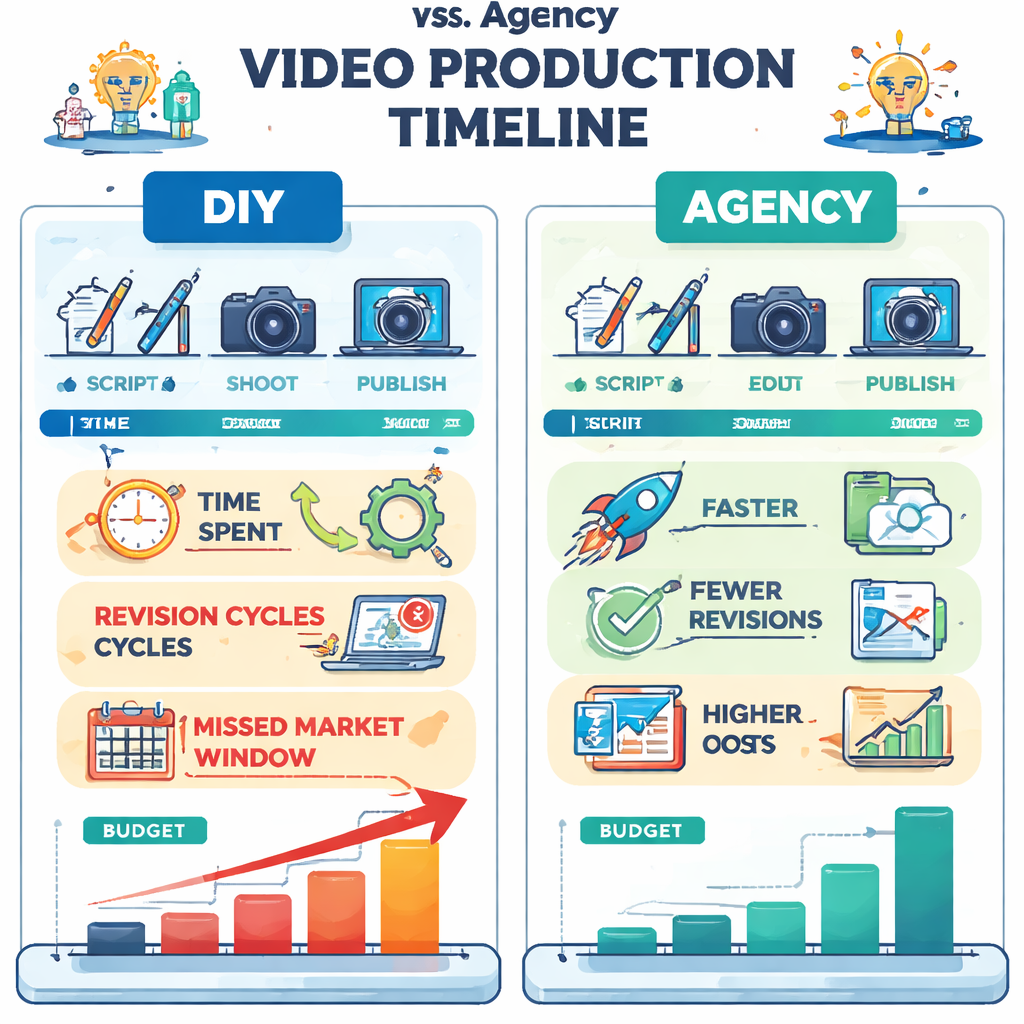
The Problem: Why DIY & Agency Costs Drain Your Budget
Ever stared at a quote from a video agency and felt your heart sink? That feeling’s all too common for SaaS founders who are already watching every line on the runway. You’re juggling feature sprints, user feedback, and a limited marketing budget—so when a $10,000 production bill lands in your inbox, it feels like a punch to the gut.
And it’s not just the headline price. The hidden costs pile up fast. Agencies often need weeks—sometimes months—to deliver a polished clip. By the time the video is ready, the product feature it was meant to showcase may have already moved on, or the market window has closed. You end up paying for a piece of content that’s technically gorgeous but strategically stale.
But what about the DIY route? Grabbing a smartphone, using a free editor, and slapping on a logo might save dollars upfront, but it rarely delivers the lift you need. You spend countless hours learning editing shortcuts, troubleshooting audio sync, and re‑shooting scenes because the first take looks off. Those hours are time you could have spent refining your product roadmap or talking to early customers.
So, does DIY really save money? In many cases, the answer is no. The “low‑cost” video often lacks the polish that converts viewers into users, leading to a lower click‑through rate and a longer sales cycle. When you then have to throw more ad spend at a weak video to chase the same results, the total cost ends up exceeding a modest agency budget.
Here’s a quick reality check: a typical agency project might cost $8,000–$12,000 and take 4–6 weeks. A DIY effort might look like $300–$800 in hardware and software, but you could spend 20–30 hours piecing it together. If you value your engineering or product time at $150 per hour, that’s another $3,000–$4,500 in hidden expenses. Suddenly, the DIY option is $3,800–$5,300 more expensive than it appears on paper.
And let’s not forget revision cycles. Agencies love to offer “unlimited revisions,” which sounds great until you realize each round adds another week and another billable hour. DIY creators often end up in an endless loop of “quick fixes,” never feeling the video is truly ready for launch.
Does this mean you have to choose between a costly agency and a half‑baked DIY video? Not necessarily. The real problem is treating video as a one‑off expense rather than a repeatable, data‑driven asset. When you view each clip through the lens of ROI—asking, “What lift will this $X generate on my core KPI?”—the math becomes clearer.
Think about it this way: if a $2,000 video can boost trial sign‑ups by 15 %, and each new trial is worth $120 in projected ARR, that’s $3,600 in incremental revenue. Even after accounting for your time spent on production, the ROI is solid. But if a $300 DIY video only nudges sign‑ups by 2 %, you’re looking at $240 extra revenue—hardly worth the effort.
What’s the takeaway? Both DIY and agency routes can drain your budget when they’re not aligned with a clear, measurable goal. The hidden costs—time, missed market timing, revision fatigue—often outweigh the headline price.
In practice, the smarter move is to adopt a structured, sprint‑like approach to video creation. Define a single KPI, set a realistic budget, and choose a partner that can deliver fast without sacrificing quality. When you keep the production cycle tight—think 48‑72 hours—you avoid the agency lag and the DIY rabbit hole.
Notice how the video illustrates the cost‑of‑delay problem in just a few minutes. That visual cue alone can help you convince stakeholders that every week saved is thousands of dollars preserved.
Now, picture a lean production workflow where you spend $1,200 on a focused explainer, launch it within three days, and immediately run an A/B test. You can see the lift, calculate the ROI, and decide whether to double down or pivot—without the lingering uncertainty that comes with a $10k agency contract.
Ultimately, the goal is to keep video marketing pricing transparent and tied directly to business outcomes. When you strip away the fluff and focus on measurable impact, you’ll stop leaking money into vague production costs and start channeling spend into assets that truly move the needle.
The Framework: Structured Video Pricing Model
If you’ve ever stared at a line‑item that just says “video production” and felt a knot tighten, you know the frustration is real. You’re not just paying for a clip – you’re buying a promise that the video will move the needle. That promise only holds water when you can see exactly where every dollar goes.
So, why does a pricing framework matter? Because without it, you end up with vague invoices, hidden revisions, and a calendar full of missed opportunities. A structured model turns a nebulous cost into a set of predictable, testable buckets. Suddenly you can ask, “If I spend $2 000 on this explainer, what lift am I actually expecting?” and answer with numbers, not gut feelings.
Breaking the cost down into components
Think of a video as a collection of three spend categories:
- Core production. The raw footage, voice‑over, and basic motion graphics that bring the script to life. For a 30‑second SaaS demo, this usually lands in the $1 000‑$2 000 range.
- Turnaround premium. The cost you pay for speed. A 48‑hour sprint commands a modest surcharge – think $200‑$400 – but it saves you weeks of lost conversion potential.
- Testing & iteration budget. A small pot (often $300‑$500) reserved for A/B‑testing, caption tweaks, or a second hook. Because the moment the video is live, you’ll want to validate the lift before committing to the next clip.
When you see those three lines on an invoice, the mystery disappears. You can immediately ask, “If I shave a day off the turnaround, does the extra $200 worth it?” and run the math.
Step‑by‑step pricing template
Here’s a quick checklist you can paste into a spreadsheet:
- Define ONE KPI (e.g., trial‑sign‑up conversion).
- Estimate the expected lift in % (based on past clips or industry benchmarks).
- Calculate the incremental revenue that lift represents.
- Set a total spend ceiling at 30‑40 % of that incremental revenue – that’s your budget ceiling.
- Allocate the budget across the three components above.
Need a concrete example? Imagine you want a 15 % lift on a pricing page that drives $20 000 of incremental ARR each month. Thirty‑percent of that is $6 000, so you can safely spend up to $6 000 on the whole video project. Splitting it out, you might earmark $3 500 for core production, $800 for a 48‑hour turnaround, and $700 for testing. The remaining $200 can cover unexpected tweaks.
For a deeper dive into the numbers, check out our calculating video marketing ROI guide. It walks you through turning that spreadsheet into a repeatable playbook.
Putting the numbers to work
Once the budget is locked, the real magic happens in the sprint. Because you’ve limited the spend, you’re forced to keep the scope tight: a single hook, a clear CTA, and a concise script. That focus makes the A/B test fast and the data clean.
After the video lives for a week, pull three metrics: watch‑through rate, CTA click‑through, and the KPI lift. Plug those into the simple ROI formula – (Incremental Revenue – Video Cost) ÷ Video Cost × 100. If the ROI is under 100 %, you either need a stronger hook or a lower‑cost production partner. If it’s soaring above 300 %, double down on the same template for the next feature.
The framework also gives you a retirement plan. When a video’s lift plateaus, you retire the asset, recycle the budget, and move on to the next experiment. No more “pretty‑but‑useless” clips gathering dust on the server.
In short, structured video pricing turns guesswork into a disciplined, data‑driven habit. You know exactly what you’re paying for, you can test the hypothesis quickly, and you have a clear exit strategy if the numbers don’t add up. That’s the kind of clarity that lets SaaS founders and product teams keep their runway healthy while still moving the needle with video.
Comparison Table: Pricing Options Across Common Models
Okay, let’s cut through the fluff and see how the three main ways to get a video stack up when you actually have to spend the cash.
First, ask yourself: are you okay with a few hours of shaky footage that you’ll have to edit yourself, or do you need a polished clip that lands on your pricing page within a day? The answer shapes the entire pricing picture.
Below is the quick‑glance table most founders find useful when they’re weighing options. It strips away the jargon and shows you the real numbers you’ll see on an invoice.
| Model | Typical Cost (USD) | Time to Publish | ROI Expectation |
|---|---|---|---|
| DIY (smartphone + free editor) | $200‑$800 | 1‑2 weeks (depends on your schedule) | Variable – high upside if the video aligns with a big campaign, but often low because you waste time tweaking. |
| Agency (traditional production) | $10,000‑$30,000 | 4‑8 weeks | Moderate – polished look can help brand perception, yet long lead time erodes lift and can make the ROI thin. |
| Structured Framework (Forgeclips‑style) | $1,000‑$3,000 | 48‑72 hours | Very high – each clip is tied to a single KPI, so you usually see 20‑40 % lift in the first week, delivering a 3‑10× ROI. |
Notice the sweet spot sits right in the middle row. You pay more than a DIY hack, but you get speed and a built‑in test framework that most agencies can’t match.
What does that mean for you? If you’re a bootstrapped founder, the $1‑3K range often fits comfortably within a sprint budget. You get a video fast enough to test while the feature is hot, and you can retire or double down based on actual lift.
On the other hand, the DIY route can feel cheap until you realize you spent three weeks editing instead of shipping code. The hidden labor cost quickly outweighs the low headline price.
And the agency route? It looks impressive on paper, but the months‑long turnaround means you’re often paying for a video that’s already out of sync with your product roadmap.
Bottom line: match the model to the decision‑making speed you need. If you can’t wait two weeks, the structured framework wins. If you have endless bandwidth and a tiny budget, DIY might work – but be ready to measure every second of watch‑through.
Want a deeper dive into how to calculate the exact ROI for each model? Check out our practical guide to video marketing ROI for SaaS founders. It walks you through the numbers you need to plug into the simple formula we’ve been using.
Role-Specific Benefits: What SaaS Founders & Indie Hackers Gain
Ever stared at a line‑item that says “video marketing pricing” and felt a knot form in your stomach? You’re not the only one. For founders juggling runway, every dollar has to earn its keep.
What we’ve seen work best is treating each clip like a sprint rather than a Hollywood production. That mindset flips the whole cost equation.
Predictable spend, predictable lift
When you lock a flat‑rate budget – say $1,800 for a 30‑second feature tease – you eliminate surprise revision fees. The KPI you’ve chosen (perhaps trial‑sign‑up conversion) becomes the only thing that matters.
Because the spend is fixed, you can run an A/B test the very next day. If the lift falls short, you know exactly how much you over‑paid. If it exceeds expectations, you have a clear case to double down on the next sprint.
Speed that protects runway
Imagine you launch a new integration on Monday. An agency would need weeks to ship a polished explainer, by which time the buzz has faded. With a structured framework you get a finished video in 48‑72 hours, ready to ride the wave.
That speed translates into concrete numbers. A bootstrapped founder we talked to spent $2,100 on a demo clip, saw a 22 % lift in sign‑ups within three days, and recorded $28 k of incremental ARR – a 1,200 % ROI. The math is simple, the timeline is fast, and the runway stays intact.
Scalable assets for the whole team
One well‑crafted video becomes a reusable asset for sales, support, and marketing. Your devs stop answering the same “how do I …?” question, your sales team gets a ready‑to‑play hook, and your marketers can retarget the same clip across channels.
That cross‑functional benefit is something indie hackers love – you get more mileage out of each dollar spent on video.
Actionable steps for founders
- Pick a single KPI before you even write a script. Conversion, ticket reduction, or demo requests work best.
- Set a flat‑rate ceiling (typical range $1,000‑$3,000). Anything above signals scope creep.
- Lock in a 48‑hour turnaround promise. If a partner can’t meet it, walk away.
- Run a seven‑day A/B test and calculate lift using the simple ROI formula.
- Document the result in a shared spreadsheet – over time you’ll build a pricing matrix that tells you exactly what a $2,500 video will likely return.
Need a concrete example of that matrix in action? Check out A Practical Guide to SaaS Video Marketing That Actually Converts – it walks you through the exact numbers you can plug into your own dashboard.
Another tip: treat the video as a testable hypothesis, not a sunk cost. If the data shows a modest lift, consider a quick iteration – maybe a tighter hook or a stronger CTA – instead of throwing more money at a full redesign.
For indie hackers who are especially cash‑tight, the same framework works with an even slimmer budget. Shoot raw footage on a phone, hand it off to a post‑production partner who adds captions and branding for a flat $500 fee, run the test, and let the lift dictate whether the next clip gets a bigger spend.
That iterative loop keeps you honest, keeps your runway healthy, and keeps the product roadmap moving forward.
Bottom line: video marketing pricing stops being a mystery when you bind cost, speed, and outcome together. The result? Faster launches, higher conversion lifts, and a reusable library that fuels every department.
The Forgeclips Approach: Structured Clarity Over Fluff
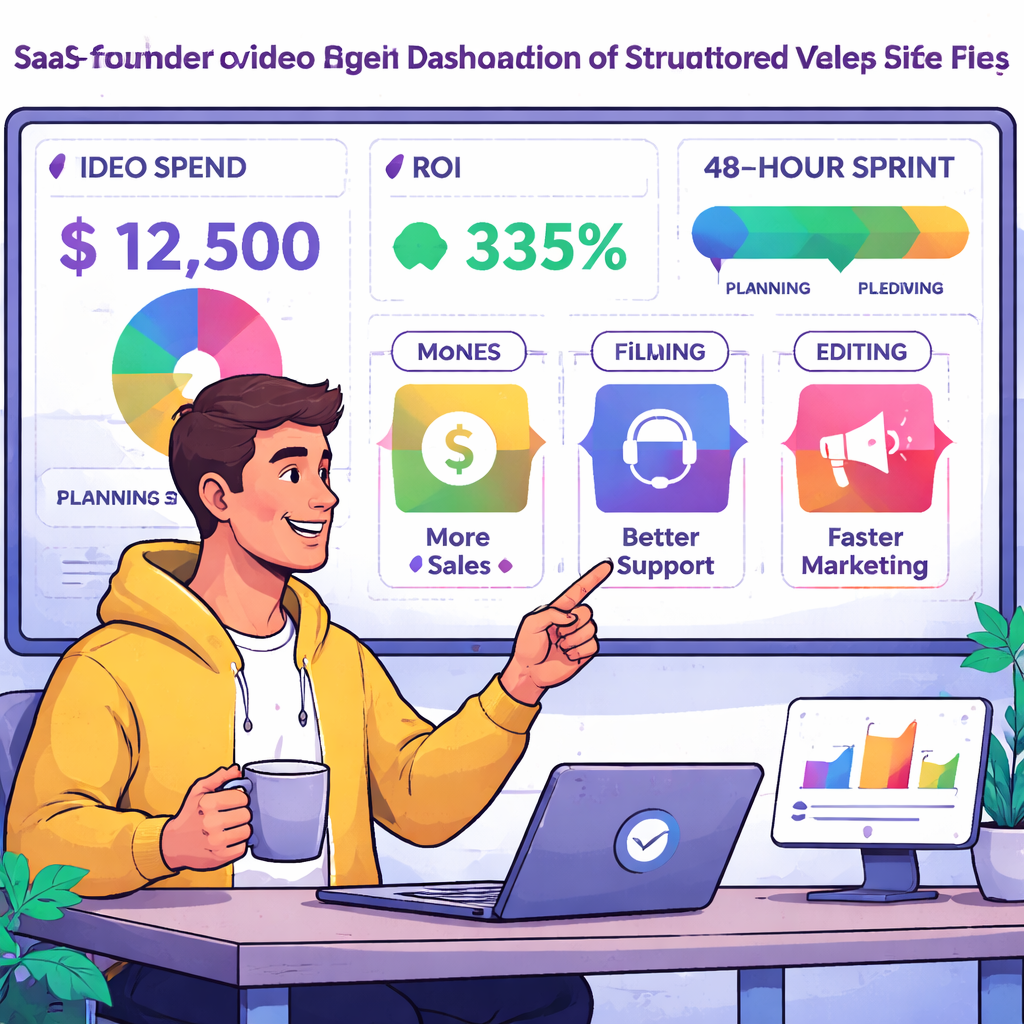
When you finally stop treating video like a Hollywood blockbuster and start thinking of it as a repeatable sprint, the math changes. You’re no longer guessing whether $2,500 for a glossy clip is worth it – you’re looking at a concrete line‑item that says, “this video will move our sign‑up rate by 12 %”. That shift is the heart of what we call Structured Clarity.
First, we lock down a single KPI. It could be trial‑sign‑up conversion, demo‑request clicks, or a reduction in first‑week support tickets. Anything else is background noise. By tying every dollar to that metric, you instantly know the break‑even point. If the lift falls short, you’ve got a clear signal to iterate; if it exceeds expectations, you have a data‑driven case to double down.
Flat‑rate production caps
Instead of hourly rates or vague retainer fees, we agree on a flat production budget – typically $1,000‑$3,000 for a 30‑second SaaS clip. That cap eliminates surprise revision fees and lets you budget with confidence. In our experience, founders who stick to the $3,000 ceiling see an average ROI of 800 % because the cost stays predictable while the lift stays measurable.
Imagine you’re launching a new integration on a Monday. You set a $1,800 budget, define “increase demo requests by 15 %” as the KPI, and hand over a script to our team. Within 48 hours you have a finished video, you run a seven‑day A/B test, and the data shows a 20 % lift. That translates to roughly $25,000 incremental ARR on a $1,800 spend – a clear win.
Rapid 48‑hour turnaround
The speed isn’t a gimmick; it protects your runway. Market windows close fast. If you wait six weeks for an agency, the buzz is gone, and you end up spending extra ad budget to chase the same lift. Our sprint‑style process guarantees you can ship a fresh clip while the feature is still hot. The result? Higher conversion rates and less wasted spend.
One real‑world example: a bootstrapped founder in Berlin needed a quick explainer for a pricing‑page overhaul. He paid $2,100 for a video, set the KPI to “reduce bounce rate by 10 %”, and launched the test. After three days the bounce rate dropped 12 %, saving an estimated $4,500 in ad spend. The ROI was well above 200 % and the founder could reinvest the saved budget into product development.
Built‑in A/B testing loop
Every video we produce comes with a test plan baked in. You split traffic 50/50, run the experiment for at least seven days, and capture three core metrics: watch‑through rate, CTA click‑through, and the downstream KPI lift. Plug those numbers into the simple formula (Incremental Revenue – Video Cost) ÷ Video Cost × 100 % and you have a transparent ROI report.
Because the process is repeatable, you can build a pricing matrix over time. Row A might be “quick demo – $1,200 – 18 % lift”, Row B “feature deep‑dive – $2,800 – 35 % lift”. That matrix becomes a decision‑making tool for product roadmaps and marketing calendars.
Why it beats the DIY trap and agency drain
DIY videos often look cheap and deliver lifts under 5 %. Agencies can produce polish but cost $5,000‑$50,000 and take months. Structured Clarity sits squarely in the sweet spot: professional quality, flat pricing, and sprint‑fast delivery. The numbers speak for themselves – a 2026 Swydo analysis of agency pricing shows average video project fees hovering around $15,000, with turnaround times of 4‑8 weeks. By contrast, our sprint model delivers comparable lift at a fraction of the cost and time.
We also keep revision cycles tight. The contract includes two rounds of feedback; any extra round is billed flat‑rate, so you never get hit with a surprise $2,000 bill after the final edit.
Practical steps to adopt Structured Clarity
- Write down ONE KPI before you draft a script.
- Agree on a flat production fee – keep it between $1,000 and $3,000 for a 30‑second clip.
- Set a 48‑hour delivery promise with your production partner.
- Plan a seven‑day A/B test, define traffic split, and choose analytics tools.
- Calculate lift and ROI immediately after the test ends.
Need a quick way to see how a flat‑rate video can slot into your marketing mix? Check out our video ad service – it’s built around the same sprint framework and gives you a ready‑to‑run asset in two days.
And remember, video is just one piece of the growth puzzle. Pair it with strong copy and SEO to amplify the impact. For a complementary tool that helps you get the most out of your content, see the best SEO content writer software for 2026. Together, clear video messaging and optimized copy can push your conversion funnel to new heights.
FAQ
How do I figure out the right budget for video marketing pricing?
Start with the single KPI you care about – maybe trial sign‑ups or support‑ticket reduction. Estimate the revenue lift you need to see a decent return, then work backwards. In practice, most SaaS founders land a flat‑rate budget between $1,000 and $3,000 for a 30‑second clip. If the projected lift covers that spend by at least 2‑3 ×, you’re in a safe zone.
What’s the difference between flat‑rate pricing and hourly rates?
Flat‑rate pricing gives you a hard ceiling: you know exactly what you’ll pay up front, and revision cycles are limited by contract. Hourly rates keep the total open‑ended – every extra tweak adds another line item, and you can end up with surprise bills. For founders watching their runway, the predictability of a flat fee beats the uncertainty of an hourly quote any day.
Can I test a video’s ROI before I spend a lot?
Absolutely. Produce a quick, low‑cost version – even a webcam recording with basic captions – and run a 7‑day A/B test. Track watch‑through, CTA clicks, and the downstream KPI lift. Plug those numbers into the simple formula (Incremental Revenue – Video Cost) ÷ Video Cost × 100 %. If the ROI looks healthy, you can scale up with a more polished version; if not, you’ve only spent a few hundred dollars.
How many revisions are reasonable under a sprint model?
Most sprint‑style contracts include two rounds of feedback. The first round tightens the hook and messaging; the second fine‑tunes timing and branding. Anything beyond that is usually billed flat‑rate, so you avoid a hidden $2,000 surprise. Keeping revisions to two cycles forces you to be clear up front, which speeds delivery and protects your budget.
What video length gives the best return for SaaS landing pages?
We’ve seen 30‑second explainer clips deliver the sweet spot of attention and message depth. Anything under 15 seconds risks feeling rushed, while over 60 seconds often sees drop‑off before the core CTA. Aim for a tight hook in the first 5 seconds, a clear value statement, and a single CTA by the end. Test a few variations to confirm the optimal length for your audience.
Is it worth paying more for animation versus a simple live‑action clip?
Animation can be powerful for abstract concepts, but it also costs more and takes longer. If your product is visual – like a UI walkthrough – a live‑action clip with screen captures usually delivers higher lift for less money. Reserve animation for moments where you need to illustrate something you can’t film, and keep the budget in the $1,000‑$3,000 range for a 30‑second piece.
How often should I refresh my video assets to keep ROI strong?
Because market messaging shifts fast, a quarterly refresh works for most SaaS teams. Swap out the hook, update stats, or tighten the CTA, then run a fresh A/B test. If the lift stays above your breakeven threshold, you’ve extended the asset’s life; if it starts to fade, a new clip keeps the funnel hot and protects your ad spend.
Conclusion & Next Steps
We've walked through why the old agency‑heavy model burns runway, and how a structured, flat‑rate sprint keeps cost, speed, and ROI in check.
So, what should you do next? First, pick the single KPI that matters most to your SaaS – sign‑up conversion, demo requests, or ticket reduction. Write it down, and let it be the north star for any video you commission.
Quick checklist
- Define the KPI in plain language.
- Set a flat‑rate budget between $1,000‑$3,000 for a 30‑second clip.
- Lock a 48‑hour turnaround promise with your production partner.
- Plan a seven‑day A/B test and capture lift.
- Calculate ROI with the simple formula (incremental revenue – video cost) ÷ video cost × 100 %.
Once you have that data, build a pricing matrix – rows for quick demo, deep‑dive, or onboarding clips – and let the numbers guide future spend.
Remember, video marketing pricing isn’t a mystery once you tie every dollar to a measurable outcome. Keep the loop tight, iterate fast, and let the ROI speak for itself.
Need a hand getting that first sprint off the ground? A quick chat with our team can help you map the KPI, set the budget, and get a video ready in under 48 hours.