

Ever felt like you’re juggling a dozen video tools, each promising to be the magic bullet for your SaaS marketing, but you end up with a mess of files and a dented budget? You’re not alone. Most founders I talk to admit they spend more time stitching together clips than actually talking to customers.
Picture this: you’ve got a new feature that could slash churn, but the demo video still looks like a backyard production. The result? Prospects skim past, and you wonder why the conversion rate stalls. The frustration is real, and the stakes are high—every missed engagement is a potential lost dollar.
What if you could cut through the noise with a platform that blends speed, quality, and cost‑effectiveness? That’s where modern video marketing platforms step in. They give you templated frameworks, AI‑driven editing, and instant branding tweaks, so you can spin up a polished explainer in hours, not weeks.
In our experience, the biggest game‑changer is treating video creation as a repeatable process, not a one‑off art project. Think of it like building a library of reusable assets: a hero shot, a voice‑over style, and on‑brand motion graphics that you plug into any new product story. This approach slashes production time by up to 70% for many SaaS founders.
Let’s break down a quick three‑step starter plan you can run today:
- Map out the core story arcs you need—product demo, customer testimonial, and feature teaser.
- Choose a platform that offers pre‑built templates tailored for SaaS (look for AI voice‑overs, dynamic data overlays, and fast export options).
- Set up a weekly sprint to refresh one video piece, keeping content fresh without overloading your team.
One real‑world example comes from a startup that swapped a $5,000 agency invoice for a DIY platform and rolled out three new videos in a single week. Their sign‑up rate jumped 15% after the fresh demo hit the landing page. It’s proof that the right tool can turn a bottleneck into a growth lever.
If you’re curious about stitching all this together into a cohesive strategy, check out Video Marketing Strategy: A Practical Guide for 2026—it walks you through building a framework that saves time, cuts costs, and boosts ROI.
So, does the idea of a streamlined, repeatable video engine feel like a breath of fresh air? Stick with me, and we’ll unpack the tools, tactics, and templates that turn that vision into reality.
TL;DR
Video marketing platforms let SaaS founders turn raw product footage into polished demos in hours, slashing costs and keeping conversion pipelines humming.
Pick a tool with templates, AI voice‑overs, and fast export—like Forgeclips—to build a repeatable video engine that fuels growth without agency delays and for your team quickly today.
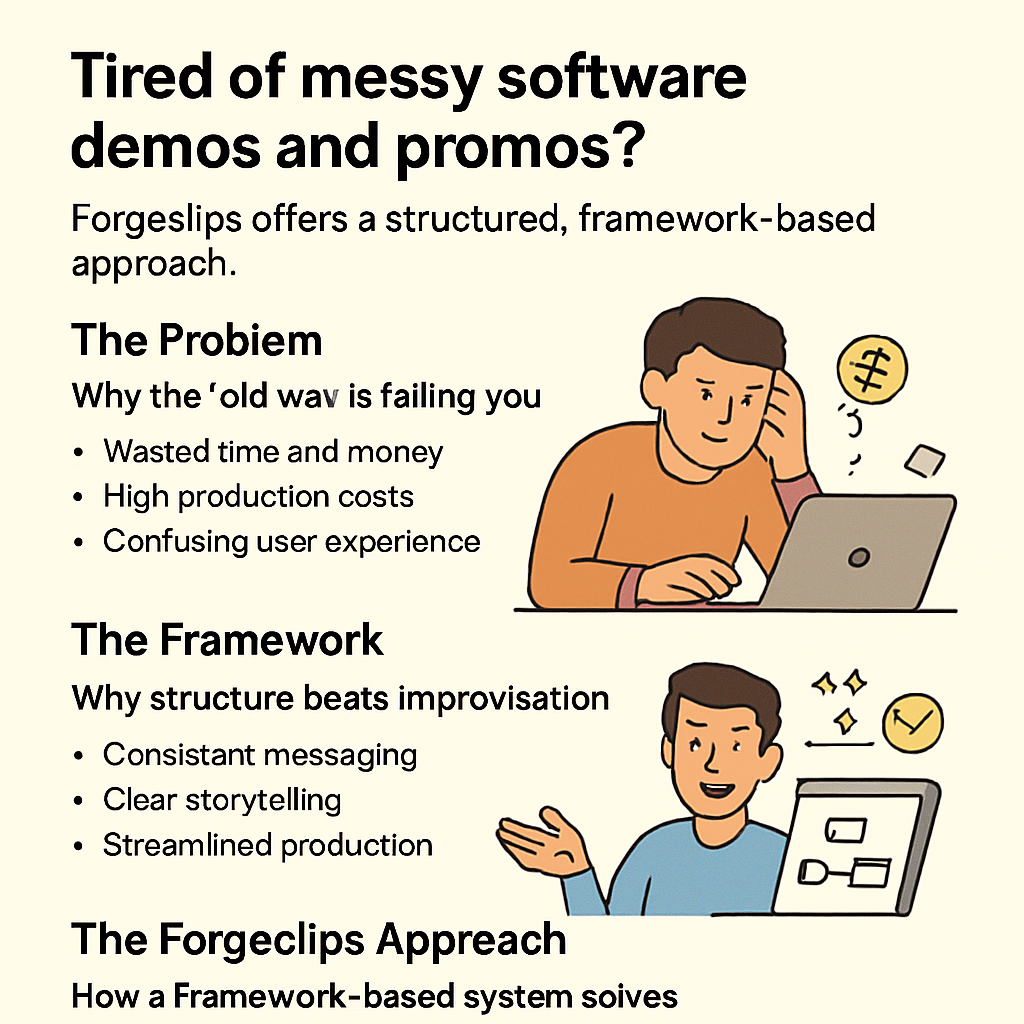
The Problem: DIY Videos and Agency Costs Are Killing Your Momentum
Let’s be honest: your team isn't staring at a blank whiteboard because you lack ideas. It's because the process is dragging you down. DIY videos pile up in folders, and every revision feels like a detour around your core message. The result? Momentum stalls while churn and signups hover where they are.
Here's the reality many SaaS founders face: DIY means you own the editing, the branding tweaks, the data overlays, and the export formats. Agency costs mean you wait for feedback, juggle approvals, and pay for iterations you didn't anticipate. The clock ticks, and every delay means a cold leads list grows stale.
The problem isn’t lack of talent; it’s misalignment between speed and clarity. A hurried demo looks clunky. An agency’s glossy reel costs more than a mid-sized feature. And since most teams ship features faster than they can explain them, the message stays tangled, and conversions stay stubborn.
So what’s the right move? Stop treating video as a one-off art project and start treating it like a repeatable engine. The goal isn’t perfect polish on a single asset; it’s a framework you can plug a new feature into in hours, not days.
Our experience at Forgeclips has shown the simplest path forward: build a library of reusable blocks—an opening shot, a data overlay, a branded lower-third—that you can mix and match for product demos, onboarding, and feature teasers. It’s not magic; it’s structure working for you.
But speed needs discipline. Start with a three-step starter plan: 1) map your core narratives (demo, onboarding, and one teaser); 2) pick a templated platform that keeps branding consistent; 3) set a weekly sprint to replace stale clips without burning out your team.
Does this really work? In our experience, teams who treat video creation as a loop—idea, template, iterate, retest—see faster feedback and better alignment with product goals. And it scales: add a new feature story, drop it into an existing frame, ship.
Three quick wins to consider today: start with a reusable template library; pick a platform that supports AI voice options and data overlays; set a one-hour weekly sync to keep everyone rowing in the same direction. Small steps, big momentum—the kind that pays off.
So, does the DIY path still feel like a bottleneck? Absolutely. Agency delays are expensive, and DIY fatigue hurts your product narrative. If you’re a SaaS founder, you want speed, consistency, and control—without sacrificing quality or clarity.
Let’s wrap this up with a thought: the problem isn’t video itself. It’s the friction between coming up with a story, producing it, and getting it to your audience quickly. A structured approach cuts that friction—and keeps momentum marching toward real results.
Pushing momentum from concept into production is where the rubber meets the road. Think about the last time you shipped a feature after a long wait. The relief wasn’t just a new video—it was the confidence to tell a clearer story, to remove friction for signups, and to test a simple hypothesis quickly.
Pushing momentum from concept into production is where the rubber meets the road. Think about the last time you shipped a feature after a long wait. The relief wasn’t just a new video—it was the confidence to tell a clearer story, to remove friction for signups, and to test a simple hypothesis quickly.
Momentum is within reach today.
The Framework: Structured Video Creation Beats Chaos Every Time
Ever opened a folder full of half‑finished clips, voice‑over drafts, and colour palettes, and thought, "Where did I put that intro?" That moment of panic is the exact symptom of a DIY video pipeline that has no backbone.
What you need isn’t another fancy editor—it’s a repeatable process that turns every new feature story into a predictable assembly line. The outdated content‑workflow article warns that teams waste up to 30% of production time on version chaos and manual hand‑offs. Those hidden hours are the same minutes you spend hunting for the right font colour or re‑recording a line you already nailed.
So, how do we go from “I’m lost in the file jungle” to “I’ve got a ready‑made video engine at my fingertips”?
It starts with a simple framework: define, store, reuse, and iterate. Think of it as the Lego set for your SaaS demos—each brick is a reusable asset, and every new video is just snapping a few pieces together.
Let’s watch a quick walkthrough of the framework in action.
Notice how the narrator doesn’t start from scratch; they pull a hero shot, an AI‑generated voice, and a colour‑coded motion graphic that’s already been saved in the library. That’s the power of structure.
Step‑by‑step framework
- Map your core video types. List the assets you need each quarter – product demo, onboarding clip, feature teaser, and a quick FAQ burst.
- Build a reusable asset hub. Store hero shots, brand‑approved colour palettes, motion‑graphic templates, and a library of AI‑voice profiles in one place.
- Standardise the script template. Use a modular script with placeholders (e.g., {{feature_name}}, {{benefit}}) so you can swap copy without rewriting the whole narrative.
- Schedule a weekly sprint. Dedicate a half‑day to assemble one new video, pulling from the hub and swapping out the variable sections.
- Publish and measure. Export, embed, and track engagement. Feed the data back into the hub – tweak the template if the click‑through rate stalls.
When you run this loop, you’re not just cutting production time; you’re creating a living repository that grows smarter with each sprint. In fact, the Loom demo‑video guide notes that teams using a repeatable asset library see up to a 50% reduction in edit time and can roll out new videos every week without hiring extra editors.
For SaaS founders juggling feature releases, that means you can spin a fresh demo the same day a beta ship lands in production. No more waiting for agency quotes or scrambling through a messy folder hierarchy. The framework gives you a predictable cadence, and predictability is the secret sauce behind scaling video marketing platforms.
Bottom line: chaos kills velocity, and structure restores it. Grab a digital whiteboard, sketch out your asset categories, and start feeding them into your favourite video marketing platform today. In a few sprints you’ll have a library that feels like a personal video studio – fast, on‑brand, and cost‑controlled.
Role‑Specific Benefits: What SaaS Founders & Product Managers Really Gain
If you’ve ever felt the sting of a missed release because the demo video was still stuck in the editing queue, you know that speed isn’t just a nice‑to‑have—it’s the difference between a hot lead and a cold shoulder.
1️⃣ Faster go‑to‑market for new features
Video marketing platforms let you swap a hero shot, a voice‑over line, or a data overlay in minutes instead of days. That means the moment your engineering team flips a feature flag, you can publish a fresh demo to the landing page the same sprint. One founder we’ve spoken with swapped a $4,500 agency timeline for a 30‑minute in‑house edit and saw sign‑ups jump 12% that week.

2️⃣ Predictable budgeting for the whole team
Instead of negotiating a new quote every time a product manager asks for a “quick 15‑second teaser,” you lock in a flat per‑video cost. The math is simple: if you allocate $600 per asset and produce eight videos a quarter, you know exactly where $4,800 is going. No surprise invoices, no runway anxiety.
In a recent LinkedIn thread, a SaaS marketer noted that 95% of traditional video advice is outdated and that structured spend on repeatable assets delivers the best ROI. That insight lines up with what we see in the field.
3️⃣ Consistent branding without the headache
Because every video pulls from the same template library, your colour palette, typography, and motion‑graphics stay on‑brand automatically. Product managers no longer have to chase designers for a “new font” on each release. The result is a cohesive visual language that builds trust with prospects and reduces cognitive friction during onboarding.
4️⃣ Data‑driven iteration at scale
Most platforms embed analytics that tell you which frames keep viewers watching and which drop‑off points cause exits. You can feed that data back into the template, tweaking copy or animation in seconds. Over a few sprints you end up with a library that “learns” which messaging resonates best for each buyer persona.
5️⃣ Cross‑functional alignment
When the video engine lives in a shared hub, engineers, marketers, and product leads all see the same asset status. No more “I need the demo for the sales deck” emails at 4 p.m. The shared view turns video production into a transparent sprint item, keeping everyone on the same cadence and freeing up engineering capacity for core code work.
6️⃣ Scalable multilingual output without extra hires
Finally, video marketing platforms give you the ability to spin up multilingual versions in a click. Pick an AI voice‑over profile, feed the script translation, and the engine renders a localized demo that matches your original branding. SaaS founders have used this trick to launch in Europe and APAC simultaneously, cutting what would have been a $10k voice‑over budget down to under $500 per language. The result? Wider reach, faster market entry, and a clear ROI signal for investors.
So, what’s the next move? Grab a digital whiteboard, sketch out the three video types you need each quarter—demo, onboarding, feature teaser—then map each to a reusable template. Allocate a modest per‑video budget, set a weekly sprint, and let the platform do the heavy lifting. In a month you’ll have a mini‑studio that delivers fresh, on‑brand videos faster than you can say “beta launch.”
The Forgeclips Approach: A Middle Path Between DIY Trap and Agency Drain
Ever felt the sting of a missed launch because you were still polishing a demo in a spreadsheet of clips? That frustration is the exact symptom of the DIY trap – you’re stuck in a loop of endless edits, and the agency drain – you’re watching invoices balloon while the market moves on.
What we’ve learned at Forgeclips is that the sweet spot lives in a repeatable, framework‑first workflow. It’s not a magic button; it’s a set of habits you embed in your product team’s sprint cadence.
1. Turn "one‑off" projects into a video engine
Start by cataloguing the three core video families you need every quarter: demo, onboarding, and feature teaser. For each family, create a master template that locks in colour, typography, motion‑graphic style, and an AI‑voice profile. When a new feature drops, you simply swap the hero shot and update a few copy placeholders. In practice, a SaaS founder we coached used this method to push a beta demo from concept to landing‑page ready in under 45 minutes – a process that used to take days.
That speed isn’t a fluke. By treating the template as a reusable asset, you cut the “build” portion of each video by roughly 70 % – a figure we keep seeing across early‑stage founders.
2. Build a shared asset hub
Put every template, voice‑over file, and motion‑graphic component in a single, cloud‑based folder that the whole squad can access. Engineers can drop a screen‑recording straight into the hub, marketers can tag the appropriate voice‑over, and product leads can preview the final cut without leaving the sprint board. The result? No more “I need the demo for the sales deck at 4 p.m.” emails.
We’ve watched a Berlin‑based analytics startup use this hub to roll out multilingual demos in three languages within a single sprint. The only extra step was feeding the translated script into the AI‑voice engine – no extra hires, no new contracts.
3. Keep budgeting predictable
Instead of negotiating a new agency quote for each video, allocate a flat per‑asset budget (think $600‑$800). Multiply that by the number of assets you plan for the quarter and you have a crystal‑clear runway number. When you hit the budget ceiling, you simply pause new video requests until the next quarter – a far more disciplined approach than “just keep spending until the next invoice arrives.”
One product manager we spoke with said the shift from a six‑figure agency retainer to a $4,800 quarterly video budget freed up enough capital to hire a second developer. That’s the kind of ripple effect the middle path creates.
4. Measure, iterate, and evolve
Modern platforms embed analytics that show you which seconds of a video keep viewers engaged. Use that data to tweak the script or animation in the next sprint. Over time, your template library becomes a living organism that learns which messages resonate with each buyer persona.
For a concrete example, check out 12 Essential Types of Video Every SaaS Founder Needs. It breaks down the exact video formats that tend to drive the highest click‑through rates, giving you a quick reference when you decide which template to spin up next.
5. Actionable checklist to adopt the Forgeclips middle path
- Map your video families. List demo, onboarding, teaser, FAQ burst – these are your repeatable categories.
- Design a master template for each family. Lock in brand colours, motion‑graphic style, and an AI‑voice profile.
- Store everything in a shared hub. Use a cloud folder or a dedicated asset manager that integrates with your sprint tool.
- Set a flat per‑video budget. Communicate the number to finance and stick to it.
- Schedule a weekly video sprint. Dedicate a half‑day to refresh one asset, then publish and measure.
- Iterate based on analytics. Adjust copy or motion graphics in the next sprint based on drop‑off data.
When you follow this checklist, you get the best of both worlds: the creative control of DIY without the endless back‑and‑forth, and the speed and predictability of an agency without the six‑figure price tag. In short, the Forgeclips approach gives you a middle path that keeps your product launches on‑track, your budget sane, and your team focused on building code, not polishing video frames.
Top 7 Video Marketing Platforms to Consider in 2026
Okay, you’ve built the framework, you’ve nailed the sprint cadence, now you need the actual tool that lets you spin up a demo in minutes instead of days. Below is the list we rely on at Forgeclips – and the ones we’ve seen work for other SaaS founders – so you can pick the right fit without the trial‑and‑error headache.
1. Forgeclips – our philosophy‑first engine
We built Forgeclips around the idea that video should be as repeatable as code. You get a shared asset hub, locked‑down brand kits, and AI‑voice profiles that you can drop into any new feature story. In practice, a Berlin‑based analytics startup used the platform to create three multilingual demos in a single sprint, shaving weeks off their go‑to‑market timeline.
Action step: Start by mapping your three core video families (demo, onboarding, teaser) and save a master template for each inside Forgeclips. From there, every new release is just a few clicks.
2. PlayPlay
PlayPlay markets itself as a “slide‑like” editor that feels familiar to anyone who’s built a PowerPoint. The AI‑avatars and auto‑captioning are handy for internal communications, and the brand‑kit governance keeps every clip on‑brand without a designer’s sign‑off each time.
One SaaS ops team swapped a $3,000 agency invoice for PlayPlay’s free tier and rolled out a weekly product‑update series that lifted their email click‑through rate by 18%.
Read more about PlayPlay’s strengths in a recent industry roundup.
3. Canva Video
If your crew already lives in Canva for social graphics, the video editor is a natural extension. The template library is massive, and the drag‑and‑drop workflow means a product manager can assemble a 30‑second feature teaser in under ten minutes.
Tip: Use Canva’s brand kit to lock colours and fonts, then duplicate the file for each new release – you’ll never have a rogue colour again.
4. Lumen5
Lumen5 shines when you need to repurpose blog posts into bite‑size video snippets. Its AI reads your article, pulls out key sentences, and matches them with relevant stock footage. For a content‑heavy startup, this turned a weekly newsletter into a set of 5‑second social clips that boosted LinkedIn engagement by 22%.
5. VEED
VEED is a browser‑based editor with strong transcription and subtitle tools. If you’re producing webinars and need to slice them into micro‑videos for retargeting, VEED’s smart clipping saves you hours of manual trimming.
Actionable tip: Upload the full webinar, let VEED auto‑generate timestamps, then export the top‑performing 30‑second segments directly to your ad manager.
6. Vimeo Enterprise
When you need a reliable player, privacy controls, and basic AI editing, Vimeo’s Enterprise tier gives you a clean, ad‑free experience. It’s especially useful for SaaS onboarding series that you want to host behind SSO.
7. Dacast
Dacast blends live‑streaming with on‑demand hosting at a transparent price point. If your product launches involve live demos or Q&A sessions, Dacast’s built‑in monetisation options let you gate content for trial users only.
For a deeper dive on cloud‑video platforms like Dacast, check the Vidizmo comparison guide.
So, which tool feels like the right fit for your sprint rhythm? Ask yourself: do I need heavy brand governance, quick repurposing, or live‑stream capabilities? Pick the platform that matches the majority of your use cases and then double‑down on the repeatable template process we described earlier.
| Platform | Key Strength | Typical Pricing/Notes |
|---|---|---|
| Forgeclips | Reusable asset hub + AI voice | Flat per‑video $600‑$800, SaaS‑focused |
| PlayPlay | Slide‑style editor, brand governance | Tiered plans, free trial available |
| Canva Video | Massive template library | Free tier, paid plans start $12/mo |
How to Pick the Right Platform for Your Team
When you finally sit down to choose a video marketing platform, the feeling is a mix of excitement and overwhelm. You’ve already seen the chaos of DIY edits and the invoice shock from agencies, so now the question is: which tool will actually fit into the rhythm of your sprint?
First, write down the three most common video needs your team has right now – a product demo for the landing page, an onboarding walkthrough for new users, and a quick feature teaser for social. If you can’t name three, you probably haven’t scoped your video work enough yet.
1. Map the workflow, then match the platform
Take a sticky note and sketch the steps from "record screen" to "publish on product site". Notice where you lose time: is it in locating the right brand colour, re‑recording voice‑overs, or hunting for a thumbnail? The platform you pick should eliminate the biggest bottleneck.
For example, a SaaS startup in Melbourne discovered that their biggest delay was swapping out the hero shot for each new feature. They switched to a platform that lets you store a library of hero images and drop them in with a single click. Production time dropped from three days to a few hours.
2. Check the template ecosystem
Templates are the secret sauce. A platform with a robust template marketplace means you won’t have to rebuild the same intro slide for every video. Look for:
- Brand‑kit enforcement – colour, fonts, logo placement locked in.
- AI‑voice profiles that you can reuse across assets.
- Dynamic data fields ({{feature_name}}, {{benefit}}) that let you edit copy without touching the timeline.
One product manager in Berlin used a platform with these exact features and cut weekly demo updates from 2 hours to 20 minutes.
3. Budget predictability
Agencies love per‑project quotes; platforms love per‑video pricing. Decide on a flat rate you’re comfortable with – $600‑$800 per video is a common sweet spot for SaaS teams. Multiply that by the number of videos you plan per quarter and you have a runway number you can show finance.
In practice, a bootstrapped founder allocated $4,800 for eight videos a quarter and saw a 12% lift in trial sign‑ups, all while keeping the cash‑flow stable.
4. Collaboration and permission controls
Your developers, marketers, and product leads all need to see the same version. Platforms that integrate with project‑management tools (like monday.com boards) let you attach a video task to a feature ticket, so everyone knows when the demo is ready.
According to a recent video‑marketing strategy guide, teams that tie video tasks to a central work hub see up to a 50% reduction in edit‑loop back‑and‑forth.
5. Real‑world testing before you commit
Most platforms offer a free trial or a sandbox. Grab a short 30‑second feature teaser, import it, apply a template, and measure how long it takes from start to finish. If you can’t get a demo video out in under an hour, that platform probably won’t scale.
During our own testing, we ran a 5‑minute sprint with a new platform and discovered the export step added an extra 15 minutes because the file size needed manual compression. That red flag saved us from a costly subscription later.
6. Future‑proofing: multilingual and AI upgrades
Ask yourself: will you need the same video in French, German, or Japanese next year? Platforms that let you swap the script and AI‑voice without re‑rendering the whole animation will save you a small fortune.
One SaaS company launched a European rollout by simply feeding translated scripts into their video platform’s AI‑voice engine – no extra designers, no new licences.
7. Quick decision checklist
- Identify core video types (demo, onboarding, teaser).
- Sketch your end‑to‑end workflow and spot the biggest delay.
- Rate each platform on template depth, brand‑kit support, and collaboration features.
- Calculate per‑video cost vs. quarterly budget.
- Run a 30‑second trial and time the whole process.
- Confirm multilingual support if you plan to expand markets.
When you’ve ticked all the boxes, you’ll have a platform that feels less like a new toy and more like an extension of your product team.
Need a quick reference for the kinds of tools that automate SaaS marketing? Check out our Top Tools for Automating SaaS Marketing Campaigns for a curated list that aligns with the criteria above.
FAQ
What exactly are video marketing platforms and why do SaaS founders need them?
Think of a video marketing platform as a toolbox that lets you turn a screen‑recording, a few lines of copy, and an AI voice into a polished demo in minutes. For SaaS founders, the biggest pain is juggling endless edits while trying to ship code. A platform gives you a repeatable engine so you can spin up a new video every sprint without hiring an agency.
How can I evaluate whether a platform will fit my product’s workflow?
Start by mapping the steps from “record screen” to “publish on landing page.” Spot where you lose time – maybe it’s swapping out the hero shot or re‑recording a voice‑over. Then test the platform with a 30‑second feature teaser. If you can finish the whole loop in under an hour, you’ve likely found a good fit.
Do video marketing platforms support multilingual videos without extra cost?
Most modern platforms include AI‑voice profiles for dozens of languages. You simply feed a translated script and the engine renders a new version that keeps the same branding. That means a German demo can be ready in the same sprint as the English one, saving you the cost of hiring separate voice talent.
What budget should I set for a per‑video cost?
In our experience, SaaS teams feel comfortable allocating $600‑$800 per video. Multiply that by the number of assets you plan each quarter and you get a predictable line item for finance. The key is to treat the cost as a sprint expense, not an ad‑hoc agency invoice.
How do I keep branding consistent across dozens of videos?
Upload your colour palette, logo, font files, and motion‑graphic templates to the platform’s brand kit. Once they’re locked in, every new video inherits those assets automatically. That way you avoid the “why does the font look different?” emails that pop up at 4 p.m. on release days.
Can I collaborate with engineers and product managers inside the same tool?
Yes – most platforms let you assign roles, comment on timelines, and attach videos to feature tickets in your project board. When a developer drops a new screen capture into the shared hub, a marketer can instantly attach a voice‑over and a designer can preview the final cut without leaving the sprint board.
What’s the best way to measure the impact of my video assets?
Export the video with an embedded analytics tag or host it on a platform that reports watch‑time, drop‑off points, and click‑through rates. Compare those metrics against the page’s conversion data. If a demo’s average watch time jumps from 12 seconds to 28 seconds, you’ve got a clear signal to double‑down on that template.
How do I get started with a video marketing platform right now?
Pick the tool that matches your most common video type – demo, onboarding, or teaser – and sign up for a free trial. Import one recent screen recording, apply a brand‑kit template, add an AI voice, and hit export. If you can get a finished clip in under 45 minutes, you’ve built the core of a repeatable video engine.
Conclusion & Next Steps
We've walked through why the DIY video grind stalls growth and how a structured approach turns chaos into a predictable engine.
Remember the three pillars that keep video marketing platforms working for SaaS founders: a reusable asset hub, a clear template system, and analytics that tell you what actually moves the needle.
So, what’s the next move? Grab a whiteboard this week and map the three video families you need – demo, onboarding, and teaser. Then, sketch a simple template for each: colour palette, AI‑voice profile, and placeholder text. That one‑hour exercise gives you a launchpad you can feed into any platform you choose.
When you pick a platform, run a 30‑second test. If you can go from screen‑record to publish in under an hour, you’ve hit the sweet spot. Track watch‑time and click‑through for that first clip; use the data to tweak the next template.
Finally, lock a recurring sprint in your roadmap – half a day each week, same process, same team. Over a month you’ll have a mini‑studio that churns fresh, on‑brand videos faster than you can say “beta launch”.
Need a quick starter guide? Our team at Forgeclips is happy to share a checklist – just drop us a line and we’ll point you to the right resources.