Skip to content
Forgeclips
HomeFrameworksHow it worksResourcesAboutContact
LoginBag
0

12 Essential Types of Video Every SaaS Founder Needs

January 9, 2026 · Forgeclips12 Essential Types of Video Every SaaS Founder Needs

As a SaaS founder, you’re constantly fighting for clarity. How do you explain a complex product, build trust, and convert users without a massive sales team or an agency-level budget? The answer isn't just more content, but the right kind of video at the right time. For a startup, video is the most efficient way to communicate value and demonstrate functionality.

This guide breaks down the essential types of video that directly impact SaaS metrics. We'll move beyond marketing fluff to focus on practical, actionable formats that actually grow your business. You'll learn which videos to create for each stage of the customer journey, from grabbing initial attention to guiding new users through onboarding.

The goal is to give you a strategic video playbook. We'll explore everything from product demos and tutorials to competitive comparisons and short-form social content, all with a focus on practical execution.

Why This Type of Video Matters

For a SaaS business, clarity is currency. Video is the fastest way to turn a complex feature set into a simple, understandable value proposition. A clear explainer video on a landing page can reduce bounce rates and increase trial signups. A well-executed product demo can shorten the sales cycle by answering critical questions before a prospect even speaks to a sales rep.

Each video type serves a specific business purpose:

  • Explainers build initial understanding.
  • Demos provide tangible proof of value.
  • Tutorials increase product adoption and reduce support tickets.
  • Testimonials build trust and provide social proof.

Ultimately, a strategic video library helps you communicate your product's value consistently and at scale, freeing up your team to focus on building and selling.

Common Approaches to Video Production

When you decide to create a video, you typically have three paths. Each has its place, and the right choice depends on your stage, budget, and priorities.

  • Agencies: A full-service video agency handles everything from strategy and scripting to animation and final production. They deliver premium, custom work and are a great option for well-funded companies needing a flagship brand video or a large-scale campaign.
  • Freelancers: Hiring specialized freelancers for roles like scriptwriting, motion graphics, or editing gives you more control and can be more cost-effective than an agency. This approach works well when you have a clear vision and the time to manage the project and multiple contributors.
  • DIY / Template Tools: Do-it-yourself tools and template-based platforms allow you to create videos in-house. These are often the most affordable option and offer speed, but may require a significant time investment from your team and can sometimes result in a less polished or generic-looking final product.

The Cost and Time Reality Check

High-quality video production involves real costs. A custom animated explainer from a reputable agency can easily range from $10,000 to $30,000 or more, with timelines of 6-12 weeks. Hiring skilled freelancers can reduce this, but a project can still run into the thousands of dollars and require weeks of coordination.

The biggest hidden cost, however, is the opportunity cost for a founder. Time spent managing video projects, providing feedback, and coordinating logistics is time not spent talking to customers, refining the product, or closing deals. This is where the model needs to be re-evaluated for early-stage and growth-stage companies where speed and focus are paramount.

How Forgeclips Solves This

Forgeclips was designed to address this exact challenge. We provide a streamlined, productized service that delivers studio-quality videos based on proven SaaS frameworks. It's not about replacing agencies, but offering a practical alternative for teams who need professional results without the high costs and long timelines.

We focus on speed, consistency, and cost efficiency. By using an AI-assisted workflow and battle-tested templates, we help you produce the essential types of video your business needs in about 48 hours. This allows you to allocate more of your budget and time to distribution-getting your message in front of customers-instead of getting stuck in production bottlenecks.

1. Explainer Videos

An explainer video is a concise, high-impact video designed to quickly clarify what your SaaS product does, who it's for, and the core problem it solves. Among the different types of video, explainers are foundational for startups because they translate complex features into a simple, compelling value proposition. Typically 60-90 seconds long, they follow a proven problem-solution-benefit framework to engage prospects at the top of the funnel.

This video type is essential for landing pages, product launch announcements, and investor pitches. By simplifying your core message, explainers reduce bounce rates and increase initial user understanding. Great examples include Dropbox's original viral video that made cloud storage understandable to millions, and Slack’s early animations that demystified channel-based communication.

Production and Messaging Best Practices

To create an effective explainer, focus on clarity and benefits over features.

  • Start with the Problem: Immediately hook the viewer by articulating a pain point they recognize. For example, "Tired of juggling spreadsheets to track project progress?"
  • Keep Language Simple: Avoid industry jargon. Your goal is to make the concept accessible to a broad audience, not just power users.
  • Focus on the "Why": Viewers care more about how your product improves their life or work than the specific code behind it. Lead with benefits like "save 10 hours a week" before explaining the feature that enables it.
  • End with a Clear CTA: Tell the viewer exactly what to do next, whether it’s "Start a Free Trial" or "Book a Demo."

An explainer's primary job is to generate an "aha!" moment. If a potential customer finishes the video and immediately understands your value, the video has succeeded. You can learn more about creating effective SaaS explainer and promo videos that drive results.

2. Product Demo Videos

A product demo video shows your software in action, guiding prospects through real user workflows and key features. Unlike explainer videos that focus on the "why," demos dive into the "how," providing tangible proof of your product's value. Among the different types of video, demos are crucial for middle-of-funnel prospects who are actively evaluating solutions. They build confidence by showing the actual user interface and functionality, answering the critical question: "How would I actually use this?"


An illustrative laptop screen displays a UI with 'ClaroCRD' and 'SomBerk: Clear' buttons, connected by a workflow path and a mouse cursor.


This video type is perfect for feature pages, post-signup email sequences, and sales enablement. By clearly demonstrating functionality, demos reduce friction in the buying process and qualify leads more effectively. Great examples include Asana’s feature series that breaks down complex project management into simple actions, and Figma’s walkthroughs that showcase the fluidity of their design tool in real-time.

Production and Messaging Best Practices

An effective demo prioritizes clarity and context, showing how features solve real-world problems.

  • Use Realistic Scenarios: Avoid using "test@test.com" or "John Doe." Populate your demo with realistic data and scenarios that resonate with your target user’s daily tasks.
  • Show Common Workflows First: Begin by demonstrating the core, most frequent use case. This helps prospects quickly grasp the primary value of your product.
  • Narrate with Purpose: Use clear, concise narration that explains the why behind each action, not just the what. For instance, "Now we'll connect our calendar to automate scheduling, saving you from back-and-forth emails."
  • Highlight Key UI Elements: Use on-screen text labels, zooms, or highlights to draw attention to important features and buttons as you navigate the interface.

A great demo doesn't just show features; it builds a bridge between a prospect’s problem and your product's solution, making the value feel immediate and tangible. Learn more about creating powerful SaaS product demo videos that accelerate user adoption.

3. Tutorial/How-To Videos

A tutorial video provides step-by-step instructions that guide users through a specific task or workflow within your product. Unlike broader product demos, among the different types of video, tutorials are highly focused on user enablement and mastery. They are essential educational assets that empower existing customers to unlock more value from your software, which directly improves user retention and reduces the burden on your support team.

This video type is perfect for help centers, onboarding email sequences, and knowledge bases. By showing users exactly how to achieve a specific outcome, tutorials increase product adoption and build user confidence. Excellent examples include Notion's extensive library of workflow tutorials and Zapier’s guides on setting up complex, multi-step integrations.

Production and Messaging Best Practices

An effective tutorial prioritizes clarity and action over everything else.

  • Start with Customer Questions: Build your tutorial backlog by addressing the most common tickets your support team receives.
  • Break Down Complexity: Instead of one long video, create a series of shorter videos (under 5 minutes) for complex workflows. This makes information easier to digest and locate.
  • Use Clear Voiceover: Narrate each step with simple, conversational language. Avoid jargon and assume the viewer is a beginner.
  • Add Chapter Markers: For any video longer than a few minutes, use timestamps in the description to help users jump directly to the section they need.

A great tutorial doesn't just show clicks; it teaches a skill. The goal is to make the user feel more competent and successful after watching. Build out your help center with clear, effective SaaS tutorial videos that help users succeed.

4. Testimonial/Case Study Videos

A testimonial video builds trust by featuring a real customer sharing their positive experience with your product. Among the different types of video, testimonials and their more detailed cousin, case studies, provide powerful social proof. While a testimonial is a short endorsement, a case study video goes deeper, often using metrics and a before-and-after narrative to showcase tangible results and a customer's success journey.

This video type is incredibly effective for middle-to-bottom-of-funnel marketing activities, such as on pricing pages, in sales outreach sequences, or in retargeting ads. By letting satisfied customers advocate for you, these videos overcome skepticism far more effectively than any marketing claim. Excellent examples include Salesforce's customer success stories and Slack's videos that showcase how specific teams solved collaboration challenges.

Production and Messaging Best Practices

To create a compelling testimonial, let your customer be the hero of the story.

  • Select for Impact: Choose customers who have clear, measurable results and can articulate the transformation your product enabled.
  • Ask Open-Ended Questions: Instead of "Do you like our product?", ask "Can you describe the challenge you faced before using our product?" This elicits natural, story-driven answers.
  • Focus on Metrics: Whenever possible, guide customers to mention specific numbers. "We reduced onboarding time by 40%" is far more powerful than "Onboarding is faster now."
  • Use Supportive B-Roll: Show footage of the customer in their work environment or using your product to add visual context and credibility to their words.

The most persuasive testimonials feel unscripted and genuine. Your goal is to capture an authentic story, not a perfect marketing pitch. You can combine customer-shot footage with branded graphics to create compelling SaaS testimonial and case study videos that build trust.

5. Animated Explainer Videos

An animated explainer video uses motion graphics and illustrations to simplify concepts that are difficult to visualize with live-action footage. Among the different types of video, animated explainers excel at breaking down abstract software workflows, data-driven insights, or intangible services into engaging, memorable stories. Their visual flexibility makes them ideal for maintaining consistent brand aesthetics and simplifying complex value propositions.

This video type is powerful for top-of-funnel marketing, website homepages, and social media ads where capturing attention with unique visuals is critical. Animation allows you to show the inner workings of your product without needing a polished UI, making it perfect for pre-launch campaigns. Great examples include the simple, clear style popularized by Common Craft and the viral, character-driven story from Dollar Shave Club that put them on the map.


Cute cartoon character holding a bright lightbulb, surrounded by icons for ideas, process, and growth.


Production and Messaging Best practices

To create a compelling animated video, focus on visual storytelling and narrative clarity.

  • Establish a Consistent Style: Choose an animation style that reflects your brand’s personality-whether it's playful, corporate, or technical-and stick to it.
  • Guide with Motion: Use movement strategically to direct the viewer’s eye to the most important information on screen, such as a key feature or benefit.
  • Pair with a Professional Voiceover: High-quality audio is non-negotiable. A clear, professional voiceover adds credibility and makes the message easier to follow.
  • Reinforce with Text: Use animated text overlays to emphasize critical data points, benefits, or your call to action, ensuring the message lands even if the video is muted.

Animation’s greatest strength is its ability to make the abstract concrete. Use it to visualize the "magic" behind your software, turning complex processes into a simple, easy-to-understand visual journey. Explore our collection of high-impact Animated Explainer Videos to get started quickly.

6. Feature Highlight Videos

A feature highlight video is a short, focused clip designed to showcase a single product capability or recent update. Among the different types of video, feature highlights are tactical tools used to drive adoption and announce what’s new. These videos are typically 30-60 seconds long and laser-focused on demonstrating the value of a specific function, making them perfect for re-engaging existing users and attracting new ones with a clear, tangible benefit.

This video type is highly effective for "what's new" pages, social media announcements, and in-app messages. By isolating one feature, they cut through the noise and deliver a clear, actionable message that encourages users to try a new tool. Great examples include Figma's short demos of new design functionalities and Notion’s clips that break down a single new database view or integration.

Production and Messaging Best Practices

To create an effective feature highlight, show, don't just tell. The goal is to make the value instantly obvious.

  • Lead with the Benefit: Start with the outcome, not the feature's name. For example, "Instantly turn meeting notes into action items" is more compelling than "Introducing our new AI Summarizer."
  • Show, Don't Just Tell: Use screen recordings with zooms and motion graphics to guide the viewer’s eye to the key interactions. The visual journey should be effortless to follow.
  • Keep it Brief: Stick to a 30-60 second maximum. If a feature needs more time to explain, it might be better suited for a longer tutorial video instead.
  • End with a Direct CTA: Guide the viewer on what to do next. A simple "Try it Now" or "Learn More" with a direct link helps convert interest into action.

A great feature highlight makes users feel like they've just discovered a secret shortcut. The video succeeds if it prompts an immediate desire to log in and try the feature. Learn more about creating compelling SaaS explainer and promo videos that keep your users engaged.

7. Live Stream Videos

A live stream video is content broadcast in real-time, creating an unscripted and authentic experience for viewers. Among the different types of video, live streams excel at building community and fostering direct engagement. For SaaS, common formats include product launches, interactive Q&A sessions with founders, and expert-led webinars that offer immediate value. This real-time format builds trust and urgency, creating a powerful channel for connection.

This video type is perfect for community engagement on platforms like YouTube Live or LinkedIn, announcing major feature releases, or hosting educational workshops. By interacting directly with an audience, companies like Figma and Stripe use live streams to gather feedback, answer questions instantly, and solidify their positions as industry leaders. The interactive nature makes viewers feel like part of a community, not just customers.

Production and Messaging Best Practices

To run an effective live stream, focus on preparation and genuine interaction.

  • Promote in Advance: Schedule your stream and promote it for 1-2 weeks across email and social channels to maximize attendance.
  • Have a Clear Agenda: While the format is spontaneous, you should have a clear topic and talking points. Don't just wing it; guide the conversation.
  • Test Your Tech: Go live with a private test stream 30 minutes beforehand to check your camera, microphone, internet connection, and streaming software.
  • Engage with the Chat: The magic of live streaming is interaction. Acknowledge viewers by name and answer their questions in real-time.

A live stream's success is measured by engagement, not perfection. Authenticity and real-time conversation are more valuable to your audience than a flawless, pre-recorded presentation.

8. Onboarding Videos

An onboarding video is a strategic guide designed to help new users successfully adopt your product. Among the different types of video, onboarding is critical for reducing churn because it ensures users experience your product's value as quickly as possible. These videos, often a series of short clips, walk users through initial setup, demonstrate core features, and build confidence during the crucial first few sessions.

This video type is essential for in-app welcome sequences, post-signup email campaigns, and help centers. By showing users exactly how to achieve their first "win," onboarding videos dramatically improve activation rates and long-term retention. Great examples include Figma's getting-started tutorials that break down a complex interface, and Calendly's simple setup videos that guide new users to book their first meeting.

Production and Messaging Best Practices

To create an effective onboarding video, prioritize clarity and the user’s first moment of success.

  • Show the Essentials First: Don't overwhelm users. Focus on the one or two actions they must take to see immediate value.
  • Keep Segments Short: Break down complex workflows into digestible 2-3 minute videos. This allows users to learn at their own pace.
  • Use an Encouraging Tone: Your goal is to build confidence. Use friendly, supportive language that makes users feel capable.
  • Highlight the "Aha!" Moment: Frame the video around achieving a specific, valuable outcome, like "how to launch your first campaign in under 5 minutes."

A great onboarding video doesn't just show features; it manufactures a user's first success story. The goal is to make them feel smart and powerful for choosing your product. You can create a consistent set of SaaS explainer and promo videos that guide users from signup to success.

9. Customer Success Stories/Documentary Style

A customer success story, produced in a documentary style, moves beyond a simple testimonial to create an authentic narrative around a customer's journey. Among the different types of video, these are powerful because they don't just state results; they show the transformation. Typically 3-10 minutes long, they chronicle a customer’s initial challenges, their discovery of your solution, and the tangible, long-term impact on their business, building deep emotional connection and credibility.

This video type is ideal for mid-to-bottom-funnel marketing, reinforcing consideration and providing social proof for decision-makers. By showcasing a relatable hero's journey, documentary-style stories like those from Salesforce or Stripe build immense trust and make abstract benefits feel concrete. They are perfect for case study pages, sales enablement, and high-stakes pitches where emotional resonance is key to closing a deal.

Production and Messaging Best Practices

To create a compelling documentary-style story, focus on narrative authenticity and cinematic quality.

  • Find a Transformational Story: Choose a customer whose business or workflow was genuinely changed by your product, not just incrementally improved.
  • Show, Don't Just Tell: Capture authentic B-roll at the customer's location. Show them working and interacting with your product in their natural environment.
  • Structure a Narrative Arc: Frame the story with a clear beginning (the problem), middle (the struggle and solution), and end (the measurable success and new reality).
  • Quantify the Impact: Weave in specific metrics and ROI data. Hearing a customer say "we increased efficiency by 40%" is far more powerful than a generic claim.

The goal isn't a slick advertisement; it's a mini-documentary. The more authentic and human the story feels, the more it will resonate with prospects who see their own struggles reflected in the narrative.

10. Comparison/Competitive Positioning Videos

A comparison video directly positions your product against alternatives, addressing the "why you versus them?" question that is top-of-mind for prospects in competitive markets. Among the different types of video, these are crucial for middle-of-funnel decision-making, as they help buyers clearly understand your key advantages and differentiation. Lasting anywhere from 90 seconds to 3 minutes, they build confidence by tackling competitive questions head-on.

This video type is highly effective on dedicated comparison landing pages, in sales outreach sequences, and as retargeting ad creative. By proactively highlighting your strengths, you control the narrative and equip your internal champions with the clear, data-backed reasons they need to justify their choice. Great examples include Notion’s videos comparing its workspace to tools like Confluence, and HubSpot’s extensive library of content positioning itself against Salesforce.

Production and Messaging Best Practices

To create a compelling comparison, focus on honest, benefit-driven differentiation rather than simply listing features.

  • Frame the Comparison Around Jobs-to-be-Done: Instead of a feature-for-feature list, show how your solution achieves a specific outcome better or more efficiently than the alternative.
  • Be Objective and Honest: Acknowledge where a competitor might be a good fit, but clarify your ideal customer profile. This builds trust and credibility far more than aggressive attacks.
  • Show, Don't Just Tell: Use side-by-side screencasts, performance metrics, or customer testimonials to prove your claims. Data is more persuasive than opinions.
  • End with Your Key Differentiator: Conclude by reinforcing the single biggest reason a customer should choose you, linking it back to a core pain point.

A great comparison video doesn't just win a feature war; it wins the argument by reframing the problem in a way that makes your solution the obvious choice. This allows you to create persuasive SaaS explainer and promo videos that accelerate buying decisions.

11. Thought Leadership/Educational Content Videos

A thought leadership video positions company leaders and experts as authorities in their domain by sharing valuable insights, frameworks, and industry trends without a direct sales pitch. Among the various types of video, this content builds trust and attracts a high-intent audience interested in expertise, not just features. Typically ranging from 3 to 15 minutes, these videos establish your brand as a go-to resource, nurturing prospects long before they are ready to buy.

This video type is perfect for top-of-funnel content marketing on platforms like YouTube and LinkedIn, as well as for enriching blog posts and resource centers. By providing genuine value, these videos build a loyal following and generate organic leads. Great examples include Y Combinator’s startup advice lectures, HubSpot’s comprehensive marketing training videos, and Stripe’s deep dives into the economics of the internet.

Production and Messaging Best Practices

To create effective thought leadership content, focus on delivering genuine, actionable insights that help your audience.

  • Share Genuine Expertise: Go beyond surface-level tips. Offer a unique framework, a contrarian viewpoint, or a data-backed analysis that viewers can’t find elsewhere.
  • Focus on Teaching, Not Selling: The goal is to educate and empower. Any mention of your product should feel natural and secondary to the core lesson.
  • Feature Credible Voices: Use your founder, a senior engineer, or a respected industry expert. Authority is key to making the content land with impact.
  • Plan Content in a Series: Structure your videos around a central theme or create an ongoing series to encourage viewers to subscribe and return for more content.

Thought leadership videos succeed when they prioritize the audience's problems over your company's solutions. The trust you build is the ultimate long-term conversion tool. Explore how to create polished and authoritative SaaS webinar and event videos to build your brand’s influence.

12. Social Media Short-Form Videos (Reels/TikTok Format)

Short-form vertical videos are fast-paced, high-energy clips created for platforms like TikTok, Instagram Reels, and YouTube Shorts. Ranging from 15-60 seconds, these videos are engineered to stop users mid-scroll with engaging hooks and rapid cuts. Among the various types of video, short-form content is unmatched for top-of-funnel brand awareness, community building, and driving traffic through viral potential.


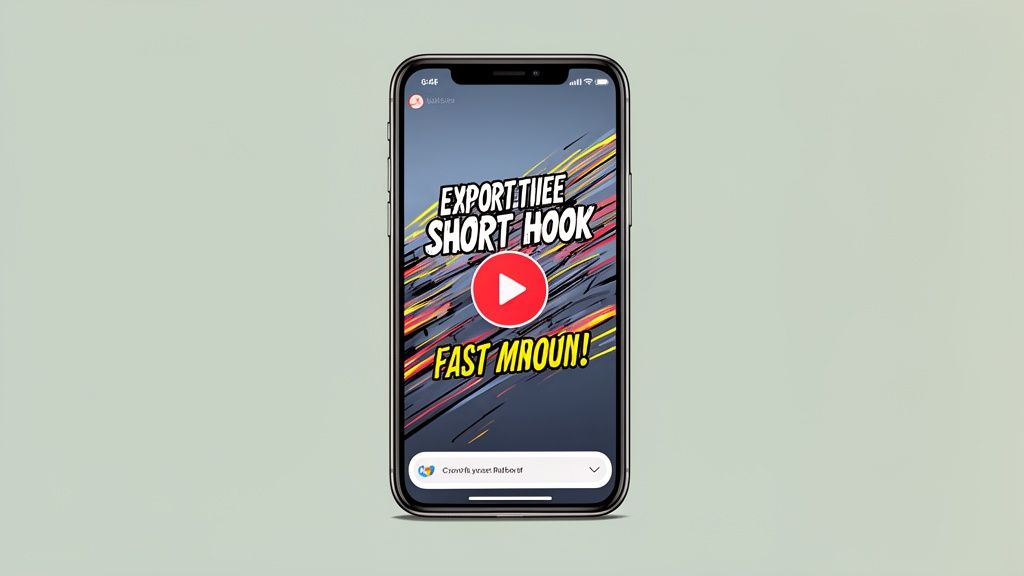
A smartphone screen displaying a video with a prominent red play button and dynamic text.


This video format is crucial for reaching new audiences, humanizing your brand, and sharing bite-sized educational content. Unlike traditional marketing videos, their value lies in authenticity and relatability, often favoring quick, native-style production. Great examples include Grammarly’s educational grammar tips on TikTok and HubSpot’s marketing-focused Instagram Reels, both of which build authority and community through consistent, valuable content.

Production and Messaging Best Practices

To succeed with short-form video, prioritize speed, clarity, and a strong hook over high-gloss production.

  • Hook in the First Second: Start with a bold statement, question, or dynamic visual. You have less than a second to capture attention before the viewer scrolls on.
  • Use Text Overlays: Most users watch social videos without sound. Use on-screen text to communicate your key message clearly and quickly.
  • Leverage Trending Audio: Using trending sounds can significantly boost discoverability, but ensure the trend aligns with your brand’s voice and message.
  • Post Consistently: Growth on these platforms is driven by frequency. Aim for 3-5 videos per week to build momentum and learn what resonates with your audience.

The goal of short-form video is not a direct sale but to earn a follow, a share, or a click. It's about building a relationship one piece of micro-content at a time. Learn more about creating compelling social media videos and ads that capture attention.

Comparison of 12 Video Types

Video Type 🔄 Implementation Complexity ⚡ Resource Requirements ⭐📊 Expected Outcomes Ideal Use Cases 💡 Key Advantage / Tip
Explainer Videos Medium - script + paced edit Medium - motion/voiceover, editor ⭐⭐⭐⭐ - quick understanding, high conversions Landing pages, hero sections, ads, launches Start with a clear problem statement; end with CTA
Product Demo Videos Medium - screen capture + narration Medium - recordings, editor, updated assets ⭐⭐⭐⭐ - reduces purchase friction, builds confidence Product pages, sales demos, trial onboarding Use realistic data and show common workflows
Tutorial / How‑To Videos Medium‑High - goal-focused sequencing Medium - subject experts, screen recording ⭐⭐⭐⭐ - reduces support, boosts adoption Help centers, onboarding, training series, YouTube Break tasks into short videos and add chapter markers
Testimonial / Case Study Videos Medium - interview + B‑roll editing Medium‑High - customer coordination, crew ⭐⭐⭐⭐⭐ - highest trust and social proof Website trust sections, sales enablement, ads Feature measurable results and let customers speak naturally
Animated Explainer Videos High - storyboard + animation High - animators, VO, sound design ⭐⭐⭐⭐ - memorable, great for complex concepts Landing pages, brand storytelling, paid social Keep visual style consistent; develop clear storyboard first
Feature Highlight Videos Low - focused short edits Low - screen record, quick edit ⭐⭐⭐ - drives feature adoption and quick awareness Product update announcements, social, in‑app Lead with benefit; keep to 30–60s and hook fast
Live Stream Videos Medium - tech + real‑time management Low‑Medium - streaming tools, moderator ⭐⭐⭐⭐ - high engagement, builds community Webinars, launches, Q&A, demos Promote in advance; test tech and moderate chat live
Onboarding Videos Medium - segmented, interactive flow Medium - product experts, in‑product embed ⭐⭐⭐⭐⭐ - improves time‑to‑value and retention In‑product tutorials, welcome emails, trial flows Keep segments 2–3 mins; show first moment of value
Customer Success / Documentary High - long‑form storytelling Very High - crew, travel, planning ⭐⭐⭐⭐ - deep emotional impact, brand equity Enterprise sales, conferences, investor relations Invest in cinematography and include clear ROI metrics
Comparison / Competitive Videos Medium - research + objective framing Medium - competitor analysis, demos ⭐⭐⭐⭐ - effective in late‑stage evaluation Comparison pages, sales pitches, retargeting ads Be factual and balanced; show real metrics and TCO
Thought Leadership / Educational Medium - expert prep + production Medium - experts, research, consistent cadence ⭐⭐⭐⭐ - builds authority and organic reach YouTube, LinkedIn, webinars, conference content Share actionable insights backed by data; publish regularly
Social Short‑Form (Reels/TikTok) Low - rapid production, trend‑led Low - phone, short edits, captions ⭐⭐⭐⭐ - high reach and engagement potential Top‑of‑funnel awareness, quick tips, culture clips Hook in first second, use captions and platform native features

A Distribution-First Mindset

The most successful SaaS companies don't just make videos; they build systems to produce and distribute them efficiently. This is the crucial mindset shift: viewing video not as a one-off creative project, but as a repeatable, scalable growth lever. When you save significantly on production, you free up budget and time for what truly matters: distribution.

Your goal shouldn't be to win an award for cinematography. Your goal is to:

  • Clarify your message: Does the viewer instantly understand what your product does and for whom?
  • Build trust: Does the video feature real-world applications and authentic social proof?
  • Drive action: Does the content guide the viewer toward a specific next step, like signing up for a trial or booking a demo?

When you can create a high-quality Product Demo this week and a customer Testimonial next week without derailing your roadmap, you can focus on getting those assets in front of the right people on YouTube, LinkedIn, paid ad campaigns, or your website's hero section. This is how video becomes a growth engine, not a cost center.

Ready to turn your video ideas into high-performing assets without the traditional friction? Forgeclips was built to help SaaS founders create the various types of video covered in this article using a streamlined process that delivers studio-quality results. Explore our video frameworks and see how you can build a scalable video strategy at Forgeclips.

Article created using Outrank

Forgeclips

From idea to market-ready video ad in hours. Powered by AI, perfected by humans.

UAB "Videostones"

Phone number: +370 693 11 863

Email: info@forgeclips.com

Company
  • Home
  • Frameworks
  • How it works
  • Examples
  • About
  • Contact
Video Frameworks
  • Animation Videos
  • App Videos
  • Demo Videos
  • Explainer Videos
  • How-To Videos
  • Product Overview Videos
  • Promo Videos
  • Short Ad
  • Tutorial Videos
  • Video Ads & Commercials
  • Youtube Ads
Legal
  • Refund Policy
  • Terms of Service
  • Privacy Policy
  • Shipping Policy
Social media
  • Facebook
  • Instagram
  • YouTube
  • Twitter
  • Dribbble
  • Behance
  • LinkedIn