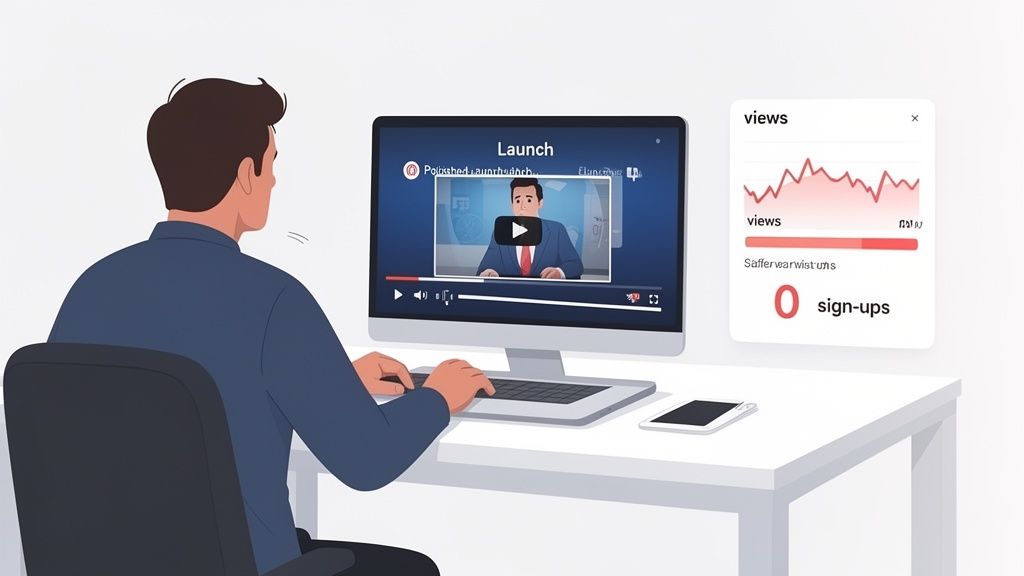
You’ve poured weeks into your new SaaS product launch video. The animation is slick, the music is a banger, but the results are… flat.
Views drop off a cliff after a few seconds. The sign-up dashboard shows a painful, round zero. It’s that sinking feeling you get when you realize a SaaS product launch video template isn't about pretty visuals. It’s a strategic framework for turning viewers into users by getting straight to the point.
Why Most SaaS Launch Videos Don't Convert
It’s a frustratingly common story. You pour resources into a launch video only to watch it get buried. The problem isn't your product or your team's effort—it’s the broken approach to telling its story.
Most SaaS teams get stuck between two equally terrible options:
The DIY Trap: You dive into editing software to save cash. Weeks later, you emerge with a messy, confusing video that fails to explain your product's value. It’s a jumble of screen recordings without the story needed to guide someone from "what is this?" to "I need this."
The Agency Drain: You hire a creative agency that promises high-production fluff. It looks incredible, sure, but it’s all style and no substance. The video is packed with cinematic shots and vague marketing buzzwords, but it never actually shows how your product solves a real, painful problem.
Both paths lead to the same dead end: a video that doesn't get you users. One lacks clarity; the other lacks a soul.
The Real Reason Your Video Isn’t Working
The failure isn’t in the editing software or the budget. It’s in the philosophy.
High-production fluff doesn't sell software. Neither does a rambling, unedited screen share. What works is a structured narrative that respects the viewer's time and intelligence. To really nail this, it helps to understand the core principles of a great Video Sales Letter.
The goal of a SaaS launch video isn't to win a cinematography award. It's to make a prospective user think, "Finally! That's exactly what I've been looking for."
This means trading directionless creativity for structured clarity. A successful video doesn't just list features; it builds a compelling case. It hooks the viewer with a problem they recognize, introduces your software as the hero, and proves its value with visual evidence.
Research even shows that a staggering 84% of people have been convinced to buy after watching a brand's video—but only if the message lands. If your video isn't connecting, it’s because the story is broken. You need to grab attention effectively in the first few seconds, or you’ve already lost.
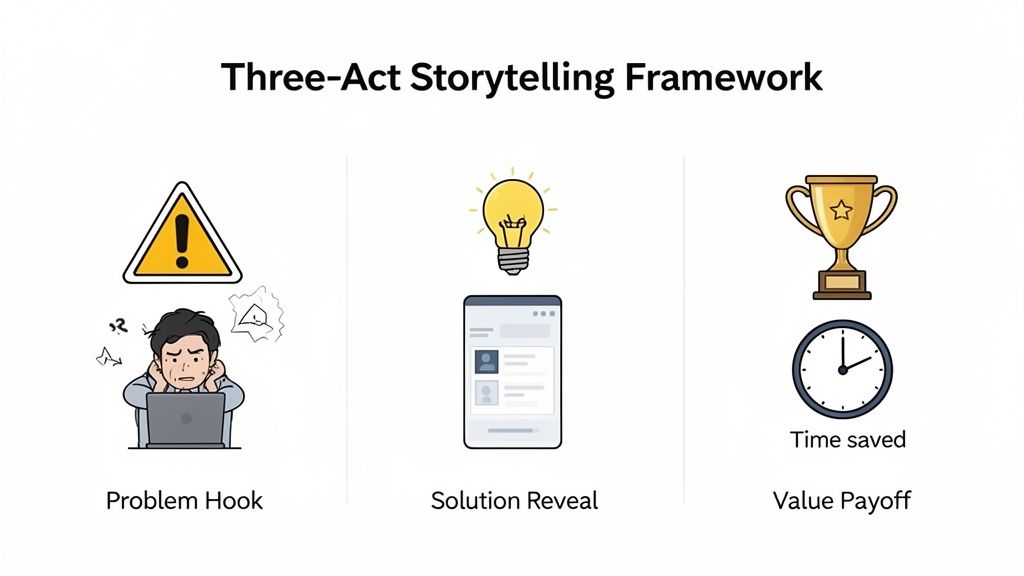
The Three-Act Storytelling Framework for SaaS Videos
The best SaaS videos aren't accidents. They’re built on a simple, repeatable story that shifts the focus from listing features to solving a problem your user actually cares about. This is the foundation of any effective SaaS product launch video template.
Great launch videos follow a classic narrative arc. They hook the viewer, present a clear solution, and close with an outcome that feels essential. Without this structure, you’re just showing a series of clicks, forcing the viewer to figure out why any of it matters.
Act 1: The Problem Hook
You have about eight seconds to earn the viewer's attention. Don't waste it on a spinning logo or vague marketing claims. Instead, dive straight into a specific, painful problem your target user knows all too well.
This isn’t about grand, sweeping statements. It’s about showing you get their daily frustration. Think less "our software streamlines workflows" and more "Tired of your sales team updating three different spreadsheets just to track one lead?" Specificity makes the viewer nod along and think, "Yes, that's me."
By opening with the struggle, you create instant relevance. You aren’t just another company selling a product; you're a problem-solver who understands their world.
Act 2: The Solution Reveal
Once you’ve set the hook, you can introduce your product as the hero of the story. This is where you transition from the "before" state (frustration, wasted time) to the "after" state your software makes possible.
This act is not a feature dump. Focus on the 1-3 core actions that directly solve the pain point from Act 1. Show, don't just tell. Use clean, focused screen recordings to demonstrate how your UI makes the solution intuitive and fast.
A great solution reveal connects the dots for the viewer. It's the moment they see your product isn't just another tool, but the exact key that fits the lock you just showed them.
For example, if the problem was messy lead tracking, your solution reveal might show a user adding a lead that automatically syncs across your entire platform with a single click. It’s visual, it’s clear, and it’s incredibly compelling.
Act 3: The Value Payoff
The final act closes the loop by showcasing the real, tangible benefit. You’ve shown the problem and the solution; now you need to spell out the value. What does the user get now that their problem is solved?
This is where you translate features into outcomes people actually want:
Saved Time: "Get your weekend back. Our tool automates your weekly reporting in 30 seconds."
Increased Revenue: "Close deals 30% faster by turning messy data into clear action."
Reduced Frustration: "No more hunting for information. Everything you need, all in one place."
This final act cements your product's value proposition. It leaves the viewer with a clear, desirable picture of what their life will be like with your software. It’s the logical conclusion that makes a call-to-action like "Start your free trial" feel like a natural next step, not a salesy demand.
Writing a Script That Connects and Clarifies
Your script is the soul of your product video. No amount of slick animation can rescue a weak, confusing message. If the storytelling foundation is flawed, the entire project will crumble.
We see teams make the same mistake over and over: they try to cram every single feature into a 90-second video. This isn’t your product documentation; it’s your first impression.
A powerful script does the opposite. It zeroes in on one core problem and presents one clear solution. Instead of a feature list, you’re delivering a single, memorable promise that resonates with time-strapped founders and detail-oriented product managers alike.
Find Your One Big Thing
Before writing a single word, you have to find the 'one thing' your video must communicate. What’s the central value that will make a viewer stop scrolling and lean in?
Don't overthink it. It's usually the most direct answer to the question, "What pain do we eliminate?"
Does it save a specific amount of time?
Does it automate a universally hated manual task?
Does it provide a critical insight that was previously impossible to get?
Once you have this core idea, every line in your script must support it. If a sentence doesn't reinforce your 'one thing,' cut it. This discipline is what separates a clear, compelling video from a confusing one.
A great script is written for the ear, not the eye. It uses simple, conversational language that sounds like a person talking, not a corporate memo being read aloud.
Read your lines out loud as you write. Does it feel awkward or stuffy to say? It will sound even worse in the final video. Cut the jargon. Instead of "We facilitate cross-functional synergy," try "Your team will finally be on the same page." See the difference?
Balance Showing the "What" with Explaining the "Why"
A common trap is letting screen recordings do all the talking. While UI shots are crucial for showing what your product does, the script’s job is to explain why it matters. The visuals provide proof, but the narrative provides context.
Here's a simple rhythm to follow for each point you make:
State the Benefit: Start with the outcome. "Stop wasting hours manually creating reports."
Show the Action: Follow up with a clean UI shot demonstrating the feature in action.
Reinforce the Value: End by connecting that action back to the benefit. "And get your weekly analytics in under 30 seconds."
This structure ensures viewers don't just see clicks on a screen; they understand what those clicks will do for them. As you draft and revise, you might find it helpful to transcribe your video to text, which can make editing and polishing the narrative much easier.
With your script locked in, it's time to bring it to life. A great script is useless without visuals that make your product’s value crystal clear. For SaaS, this isn’t about complex cinematography. The goal is clarity and authenticity, with your product always positioned as the hero.
This is where you shift from writer to director. But your most important tool isn’t a camera—it’s a simple shot list that maps every line of your script to a specific visual. This document is what ensures your screen recordings are intentional and that every visual directly supports the story you’re telling.
Crafting a Simple and Effective Shot List
Think of your shot list as the blueprint for your entire video. It’s a straightforward table that connects each part of your script to a visual action on the screen. This simple step prevents you from just randomly recording your screen and hoping for the best. It forces you to capture exactly what you need—nothing more, nothing less.
A basic shot list for a SaaS product launch video should include:
Scene Number: A simple numeric order (1, 2, 3...).
VO/Script Line: The exact voiceover line for that scene.
On-Screen Action: A clear description of what the user sees. For example: "Cursor clicks the 'Create New Project' button."
Visual Type: Is it a screen recording, a text overlay, or a subtle UI animation?
This structured approach forces you to visualize the final video before you even hit record. It’s the difference between a focused, professional video and a jumble of confusing clicks.
Best Practices for Clean Screen Recordings
Your product is the star, so how you present it matters immensely. A messy screen recording instantly tanks your credibility. You want the viewer focused on your UI's value, not distracted by cluttered tabs or unrealistic demo data.
Your screen recording environment is your stage. Keep it clean and focused. The less visual noise there is, the more your product's value proposition can shine through.
Before you press record, run through this quick checklist:
Use a Clean Browser Profile: No distracting bookmarks, extra toolbars, or a dozen open tabs. It just looks unprofessional.
Set the Right Resolution: Record in a standard 1920x1080 (16:9) resolution. This ensures your video looks crisp and clear on all modern devices.
Populate with Realistic Data: "Test Project 123" with a user named "John Doe" feels lazy. Use believable names, project titles, and figures to maintain the viewer's immersion.
Zoom in on Key Actions: Don't show your entire screen all the time. Guide the viewer’s eye by zooming in on the specific button, field, or menu item you're discussing.
Be Smooth, Not Slow: Practice your mouse movements. They should be deliberate and smooth, not frantic or hesitant.
While you don't need high-end camera work, proper screen recording hygiene is non-negotiable. And if you plan to include any face-to-camera segments, our guide on lighting for video recording has some helpful tips. These small details add up, creating a video that feels polished, trustworthy, and professional.
How the Forgeclips Framework Delivers Results
Theory is great, but execution is what matters. Most SaaS teams are caught in a tug-of-war between the messy DIY trap and the expensive agency drain.
This is why we built Forgeclips. It isn’t just another video tool; it’s a philosophy of structure. It’s the middle path that delivers agency-level strategy with the speed and affordability that founders and product teams need. The result is a high-performing video that actually drives results, often in as little as 48 hours.
From Blank Canvas to Structured Clarity
The old way gives you two bad options. Wrestle with editing software for weeks and end up with a video that lacks a clear story, or spend five figures on a beautiful agency video that says nothing about your product’s real value. Both are a waste of resources.
Forgeclips flips that model. We start with structure. Our frameworks are built on proven storytelling principles that hook viewers with a problem, introduce your product as the clear solution, and close with a tangible benefit. This removes all the guesswork and ensures your video is built to convert from the start.
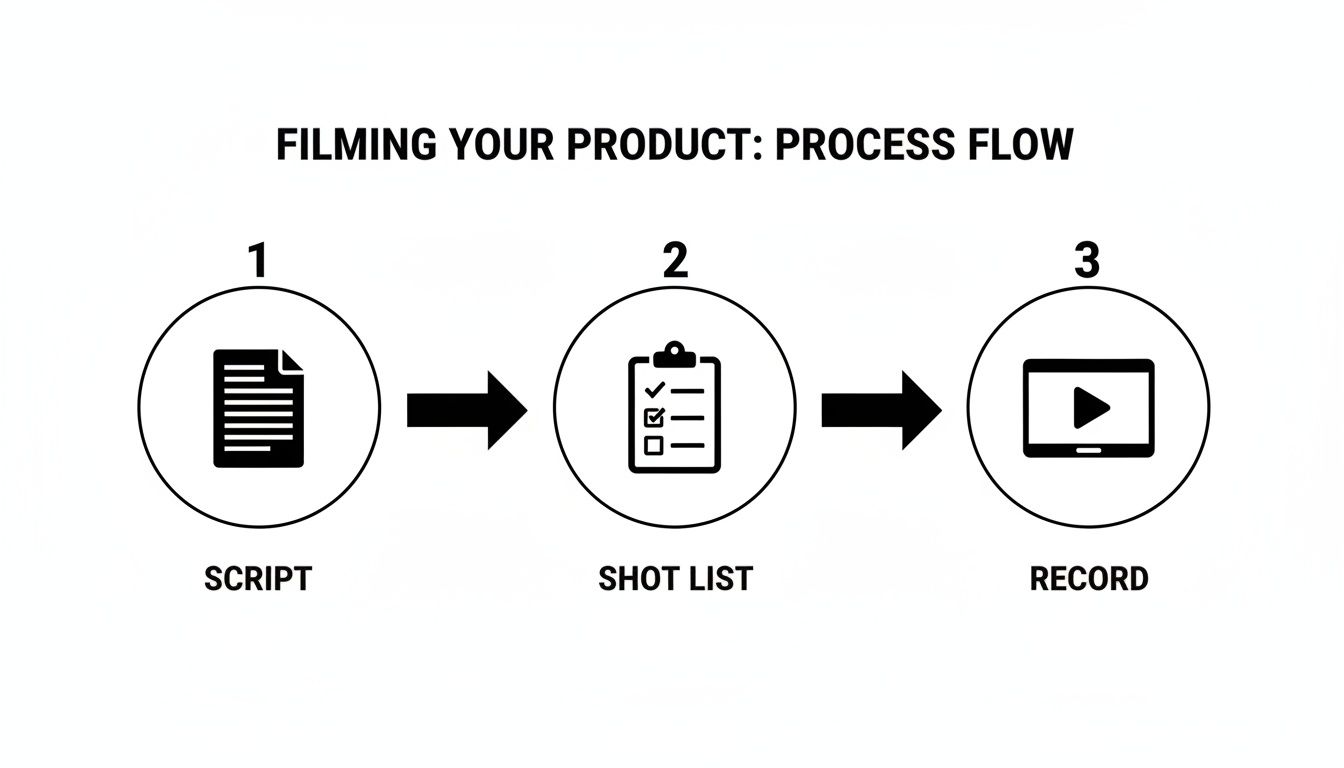
This simple, repeatable process is what makes it work.
Success isn’t about complex production. It’s about having a clear script, a focused shot list, and clean recordings that support your narrative.
The Hybrid Model That Actually Works
Our system isn't just a better saas product launch video template; it's a completely new way of producing them. We use a hybrid model that gives you the best of both worlds:
AI-Assisted Efficiency: We use smart tools to handle the repetitive parts, like generating initial script drafts and voice-overs. This dramatically cuts down on production time and cost.
Expert Human Polish: A professional video editor then reviews, edits, and polishes every single video. This human touch is what guarantees the timing, pacing, and visual storytelling meet a studio-quality standard.
This hybrid approach is our answer to the agency vs. DIY dilemma. You get the strategic foundation and polish of an agency at a speed and cost a DIY approach could never match.
You simply select a framework, submit your product details like key messages and screen recordings, and our system takes over. The result is a video that’s not just fast and affordable but also strategically sound. You can see how this translates to real-world success in these insightful video marketing case study takeaways we’ve gathered for other SaaS teams.
Frequently Asked Questions About SaaS Videos
Even the best video framework brings up questions. Here are direct answers to the ones we hear most from SaaS founders and marketers, based on what actually works.
No vague theories here. This is actionable advice to help you build a SaaS product launch video template that gets results.
How Long Should My SaaS Product Launch Video Be?
Keep your top-of-funnel videos between 60 and 90 seconds. This is your landing page or social media hook. It’s just enough time to introduce a real problem, show your solution’s core value, and drive a click. Go any longer, and you'll watch your viewership numbers fall off a cliff.
Now, if you're making an in-app tour or a deep-dive feature demo, you can stretch that to 2-3 minutes. But even then, the first 30 seconds must deliver that "aha!" moment and make it crystal clear what problem you solve.
Do I Really Need a Professional Voice-Over?
Yes. In almost every single case, a professional voice-over is worth it.
Nothing screams "amateur" faster than bad audio. It doesn't matter how polished your visuals are; a tinny, echo-filled voice track immediately tanks your credibility and makes the whole video feel cheap. A clean, professional voice guides the viewer and adds a layer of authority that builds trust instantly.
Can a founder do it? Sure, but only if you have high-quality recording gear and a completely silent space. While AI voices are improving, they still lack the authentic connection a skilled human voice provides. Don't risk it.
What Is the Single Biggest Mistake to Avoid?
Trying to show every single feature. It's a classic founder mistake, born from the fear of leaving out something important. But your launch video is a sales pitch, not your technical documentation.
Its job is to sell the solution to a painful problem. By trying to show everything, you end up communicating nothing.
Focus on the one to three core features that directly solve the problem you hooked them with. Save the rest for separate feature videos, your knowledge base, or in-app tutorials. Clarity is everything, and clarity comes from focus.
Can I Just Use Screen Recordings with Music?
You can, but you're throwing away a massive opportunity. A "silent demo" with a music track forces your viewer to do all the hard work. They have to guess what's happening on screen and, more importantly, why any of it matters.
A structured video with a script and voice-over does the opposite. It guides them directly to the conclusion you want them to reach: your product is the answer they've been looking for. Don't make them guess. Tell them the story.
Should I Show People in My SaaS Video?
It depends on the video's job. For a top-of-funnel promo, absolutely. Showing short clips of your target user—a frustrated developer, a relieved project manager—creates an immediate emotional connection. It helps humanize the software and makes the problem feel real.
For a product demo or feature explainer, however, keep the focus squarely on the UI. The goal is pure clarity. Adding people here just becomes a distraction from demonstrating how the product actually works.
Here's a simple rule: use people to sell the problem, and use your product to sell the solution.
Tired of the agency drain and the DIY trap? Forgeclips provides structured video frameworks to help you create high-performing SaaS product demos and promos fast. Get your studio-quality video at https://forgeclips.com.