A video storyboard template is your strategic blueprint for a video that actually works. It's the single document that combines your script, visuals, and timing, forcing clarity long before you hit record and making the entire production process smoother from start to finish.
The Familiar Gridlock of Making a SaaS Demo Video
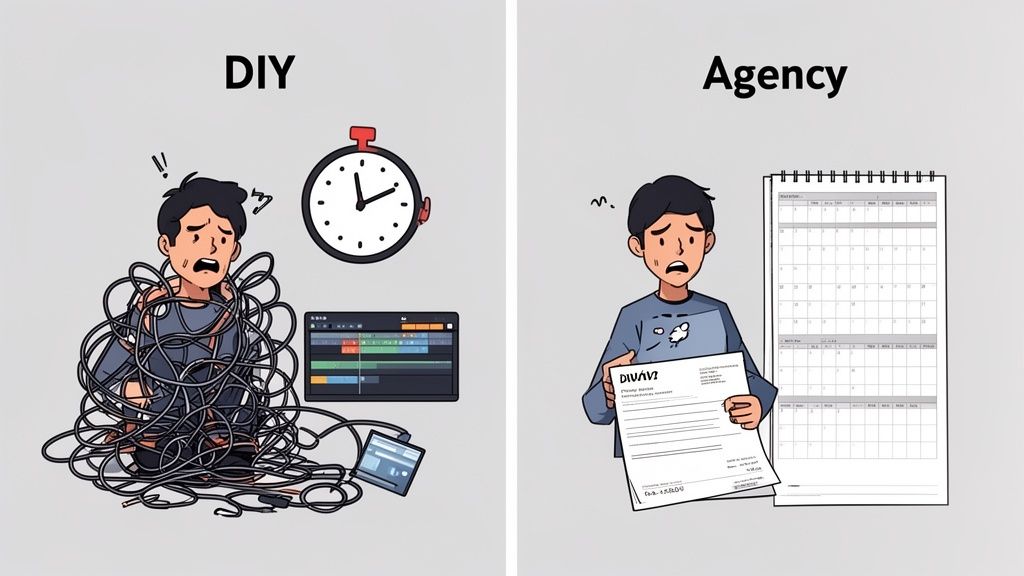
You’ve been here before. You desperately need a new product demo for your landing page, but you're stuck between two terrible options.
On one side, the ‘DIY Trap’. You burn hours you don’t have, wrestling with clunky editing software. The final video often looks a bit amateurish and, worse, fails to explain your product’s value. It leaves potential customers more confused than when they started.
On the other is the ‘Agency Drain’. An agency quotes you a five-figure price with a six-week timeline that feels completely disconnected from your reality. You just don't have the budget or the patience for that kind of high-production fluff.
Why Winging It Is a Bottleneck to Growth
For SaaS founders, indie hackers, and product managers, this cycle is more than just an annoyance—it’s a major blocker. You know video is a powerful tool for showing off your software, but the process itself feels fundamentally broken.
This familiar gridlock creates some serious downstream problems:
Wasted Resources: Hours get lost to re-shoots simply because the initial goal wasn't clear or key stakeholders weren't aligned on the story.
Delayed Launches: Marketing campaigns and feature announcements get pushed back, all waiting on a video that’s stuck in production purgatory.
Poor Conversion: A confusing or low-quality demo can actively tank your landing page's performance, driving away users who never experience your product's "aha!" moment.
The real problem isn't a lack of tools or talent; it's a lack of structure. Improvising your way through video production is a recipe for wasted time and money, whether you do it yourself or hire someone else.
This common struggle highlights the need for a smarter system. It’s time to move beyond the false choice between the DIY Trap and the Agency Drain. You can get a better handle on your creative process with this practical guide to fast, repeatable SaaS video production, which explores how to sidestep both of these costly extremes.
The solution isn't about spending more money or becoming a video editor overnight. It's about adopting a structured, framework-based approach that brings clarity and predictability to how you create videos.
The True Cost of Unstructured Video Creation
Creating a video without a plan isn't just inefficient; it’s expensive in ways that never show up on an invoice. When you improvise a SaaS demo or promo, you’re not saving time—you’re racking up hidden costs that hamstring your growth.
This is the messy reality of unstructured video creation.
Think about the wasted engineering hours. How many times has a developer been pulled from their work to re-record a screen capture because the narrative was wrong? These aren't just minor interruptions; they're expensive distractions that delay your product roadmap. A single 30-minute re-shoot for a two-minute video can cost hundreds in lost developer productivity.
The Ripple Effect of Poor Planning
The damage extends far beyond your dev team. Consider the opportunity cost of a marketing campaign stalled by production bottlenecks. A planned feature launch sits in limbo, your landing page conversion rates dip, and your momentum grinds to a halt—all because the video isn't ready.
This isn't a creative problem; it's a business problem.
Most critically, unstructured video creation leads directly to a poor user experience. A rushed, confusing demo doesn’t just fail to convert—it actively creates work for your support team. When a video fails to clearly explain a key feature, support tickets spike. Research suggests that 68% of customers prefer watching videos to learn about new products, but if that video is a jumbled mess, you risk higher churn.
The real expense of skipping a storyboard isn’t the video itself. It's the wasted ad spend driving traffic to a confusing demo, the engineering salaries spent on endless re-shoots, and the customer support hours logged answering questions the video should have addressed.
For founders, this translates directly to wasted ad spend on videos that don’t perform. For product teams, it means suffering through another repetitive stakeholder demo because there’s no clear, scalable asset to share. A video storyboard template isn't about drawing boxes; it's a strategic tool for preventing these costly errors before they happen.
By forcing you to align on the message, visuals, and flow before you hit record, a structured approach transforms video production from a chaotic, reactive process into a predictable, efficient one.
This table breaks down the difference between winging it and working from a framework.
Unstructured Efforts vs A Framework Approach
Metric
Unstructured 'DIY' Approach
Structured Template Approach
Time Investment
High, with unpredictable re-shoots and editing cycles.
Low and predictable, with most work done upfront in planning.
Often muddled, focusing on features over benefits.
Sharp and focused, built around a clear user-centric narrative.
Final Cost
Deceptively high due to hidden costs and wasted hours.
Transparent and controlled, maximizing ROI.
The contrast is clear. One path leads to waste and unpredictability, while the other offers control, clarity, and a much healthier return on your investment.
It's tempting to think of storyboards as just rough sketches—something reserved for big-budget film crews. That’s a mistake. A good storyboard is more than a visual aid; it's the strategic blueprint that separates a clear, compelling product video from a confusing, expensive mess.
Using a video storyboard template is how you get from a vague idea to a concrete plan. It's a framework designed for clarity.
The structure forces you to think scene-by-scene, shot-by-shot. Before you even think about hitting ‘record,’ you have to lock in your script, visuals, and timing into a single, cohesive story. This is where the real work gets done.
From Restrictive Boxes to a Strategic Framework
Let's shift the mindset here. A storyboard isn't a set of restrictive boxes that stifles creativity. Think of it as an essential tool for strategic execution, making sure every single second of your video has a job to do.
For something like a SaaS demo, that means:
Purposeful Visuals: You’re not just aimlessly clicking around your app. Every shot is planned to highlight a specific UI element or workflow that directly solves a user’s problem.
Aligned Messaging: The script for each scene connects a feature to its real-world benefit. No more just listing off functions.
Controlled Pacing: You can map out the timing to keep your video punchy and respectful of the viewer’s attention, which is often less than 90 seconds.
This structured approach makes sure your core message actually lands. It focuses the viewer’s attention on what really matters: how your software makes their life easier. It's the difference between a video that shows features and one that sells a solution. And just as a storyboard acts as a blueprint for your visuals, exploring written examples of scripts to elevate your brand can sharpen your narrative.
Structure doesn't limit creativity; it channels it into a clear, convincing message.
Aligning Script, Visuals, and Intent
A great storyboard template pulls together the three pillars of an effective video: what you say, what you show, and why anyone should care. Of course, getting the words right is critical before you start sketching anything. For a deeper dive, our guide on crafting an explainer video script template will help you nail down your message first.
By thinking through this sequence, you’re building the logical and emotional backbone of your video. You anticipate questions, demonstrate value, and guide the viewer straight to that "aha!" moment.
This is the pre-planning that turns a simple screen recording into a powerful sales and onboarding tool. It’s the invisible architecture behind every video that actually performs.
Alright, let's get practical. Enough theory—how do you actually build a storyboard for a SaaS demo without needing an art degree or weeks of work? The goal isn’t a cinematic masterpiece. It’s a clear, efficient blueprint for a video that actually converts.
Forget complicated structures. For a killer SaaS demo, especially one that's 90 seconds or less, all you need is a proven five-part narrative. This framework is your secret weapon to hook viewers, show them the value, and guide them to the next step without wasting a single second.
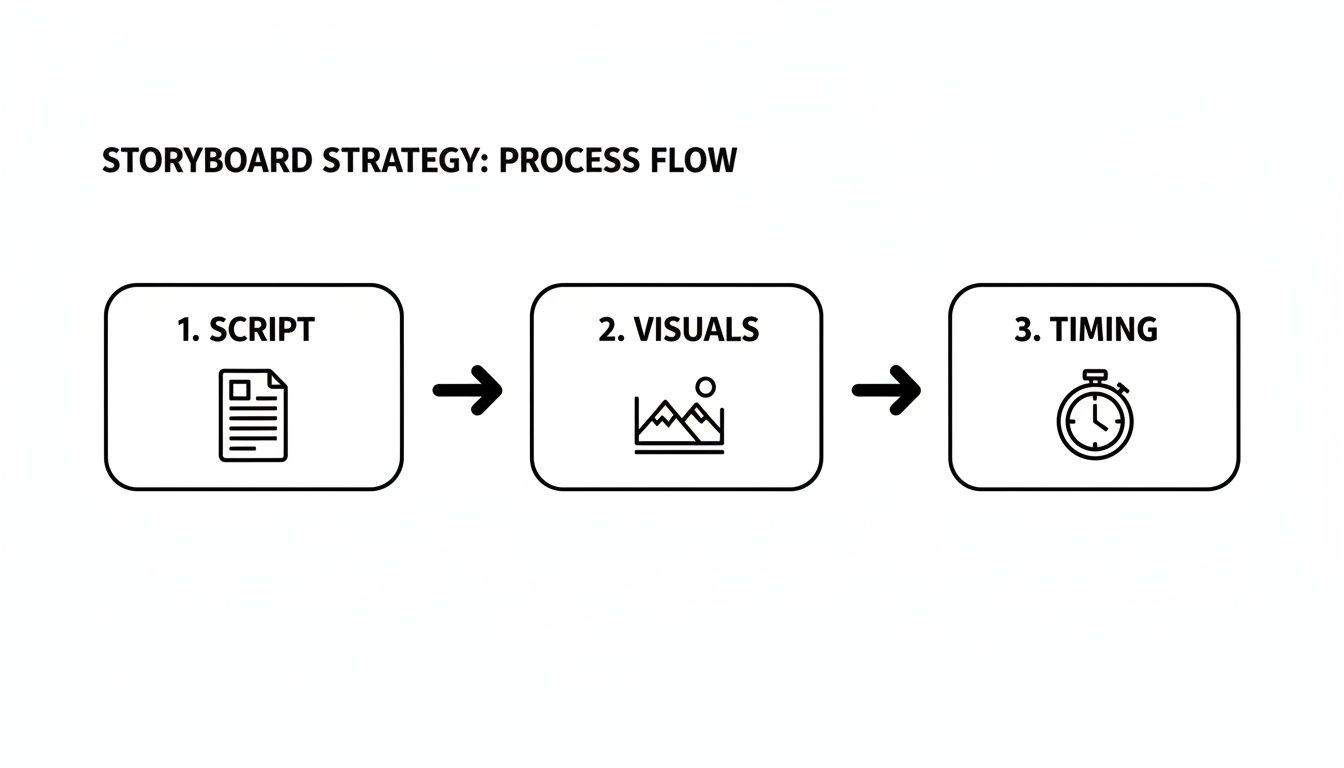
The whole process boils down to juggling three core components: the script, the visuals, and the timing.
The key thing to realize is that these three elements are completely intertwined. Tweak your script, and it will domino into your visual choices and the entire pace of your video.
Part 1: The Problem (0-15 Seconds)
Your first few seconds are everything. Don't waste them on your logo or a generic "welcome." Hit them with the specific, relatable pain point your product obliterates. You need to show them you get their struggle, right from the jump.
Script Focus: Get right to their frustration. Think phrases like, "Tired of juggling spreadsheets to track project progress?" or "Struggling to keep your team aligned across different time zones?"
Visual Plan: Show the messy "before" state. This could be a stylized graphic of a chaotic spreadsheet, tangled communication threads, or even just a frustrated-looking stock character. The one rule? Do not show your UI yet.
Timing Goal: Keep it fast. You have about 15 seconds to land the problem and earn their attention.
Part 2: The Solution (15-25 Seconds)
Now that you've got them nodding along, introduce your product as the hero. This is a quick pivot, not a deep feature dive. You're simply presenting your software as the clear, logical answer to the pain you just established.
If you want a great example of how to lay this all out, check out this storyboard template for video that maps these columns perfectly.
Script Focus: Make a simple, confident statement. Something like, "That's why we built [Your Product Name], the single source of truth for your entire team."
Visual Plan: This is the perfect moment for your logo reveal or a clean, high-level shot of your product's main dashboard.
Timing Goal: A swift 10-second transition that bridges the problem and your solution.
Part 3: The How (25-60 Seconds)
This is the heart of your demo. You're going to walk them through the 1-3 essential steps a user takes to get to that "aha!" moment. Fight the temptation to show off every single feature. Focus on the core workflow that makes your product feel like magic.
Don't get lost in a sea of features. A great demo storyboard focuses on the critical path to value. Show the viewer how to solve their problem in the fewest clicks possible.
Script Focus: Use action-oriented language. "First, connect your data source. Next, build your dashboard with our drag-and-drop editor. Finally, share the report with your team."
Visual Plan: Plan out the specific UI screenshots or screen recordings for each step. Use callouts, zooms, and highlights to direct their eyes to the exact button or menu they need to see.
Timing Goal: This is your longest section, clocking in at around 35 seconds. Give each key step about 10-12 seconds to breathe.
Part 4: The Benefit (60-80 Seconds)
You’ve shown them how it works. Now you need to hammer home why it matters. This is where you connect the clicks and features you just demonstrated to real, tangible value. What does using your product give them back?
Script Focus: Translate your features into clear benefits. Instead of saying, "Our tool has automated reporting," say, "So you can save 10 hours a week on manual data entry and focus on what actually matters."
Visual Plan: Show the glorious "after" state. This could be a beautiful, clean report; a shot of a happy, collaborating team; or a simple graphic with an upward-trending arrow.
Timing Goal: Dedicate a solid 20 seconds to really let the value proposition sink in.
Part 5: The Call-to-Action (80-90 Seconds)
You're at the finish line. Tell them exactly what to do next. Don't be vague or passive. A clear, low-friction call-to-action (CTA) is the only way to turn a viewer's interest into a real action.
Script Focus: Be direct and specific. "Start your free 14-day trial today" or "Book a personalized demo."
Visual Plan: Your final shot should be clean and simple: your website URL with the CTA button clearly visible and maybe even animated.
Timing Goal: A quick, punchy 5-10 seconds is all you need to close the deal.
The Shift Towards Smarter Storyboarding Tools
The old ways of making video—messy DIY projects or bloated agency contracts—just don't cut it anymore. We're in the middle of a major shift, especially for fast-moving SaaS teams, toward smarter tools built for speed and clarity. This isn't just about fancier software; it's a direct response to the need for efficient, repeatable video production that actually works.
This movement is getting a massive push from AI. The market for AI-driven storyboarding was valued at $1.76 billion in 2023 and is projected to grow at a 19.6% CAGR through 2034. Why? Because AI helps teams move faster. You can explore the full market analysis on datainsightsreports.com to see the data behind this trend.
The Rise of Hybrid Production
The best new workflows don’t just hand everything over to an algorithm. Instead, they embrace a hybrid model that blends AI’s raw power with essential human oversight. Think of it as AI doing the heavy lifting while a human creative provides the final polish and strategic direction.
This combination gives you the best of both worlds:
AI for Speed: It handles the tedious stuff—generating initial script ideas, creating shot lists from text, or even producing first-draft voiceovers in seconds.
Human for Nuance: A creative pro steps in to fine-tune the pacing, nail the brand voice, and make sure the story actually connects with your audience.
This hybrid approach is the sweet spot. It delivers the speed you need to keep up without sacrificing the quality required to build trust and drive conversions.
Finding the Right Tools for Your Workflow
The market is now full of tools designed to help you build a smarter process. From dedicated video storyboard templates to all-in-one platforms, the goal is to find what fits your team's specific needs. Looking at the best tools for content creators can give you a solid overview of what's out there to optimize your entire workflow.
Ultimately, you want a system that is both repeatable and effective. For teams focused specifically on video, you might want to check out our roundup of the best AI video creation tools that are making a real impact. Smart tools don't replace good strategy, but they are powerful accelerators for teams that value both structure and speed.
The Forgeclips Framework: Structure for Videos That Perform
We’ve laid out the core problem: video production is a chaotic mess, stuck between the slow, expensive agency route and the frustrating DIY trap. We've also established that structure—a solid storyboard—is the strategic fix that brings clarity and predictability back into the process.
This is where everything connects.
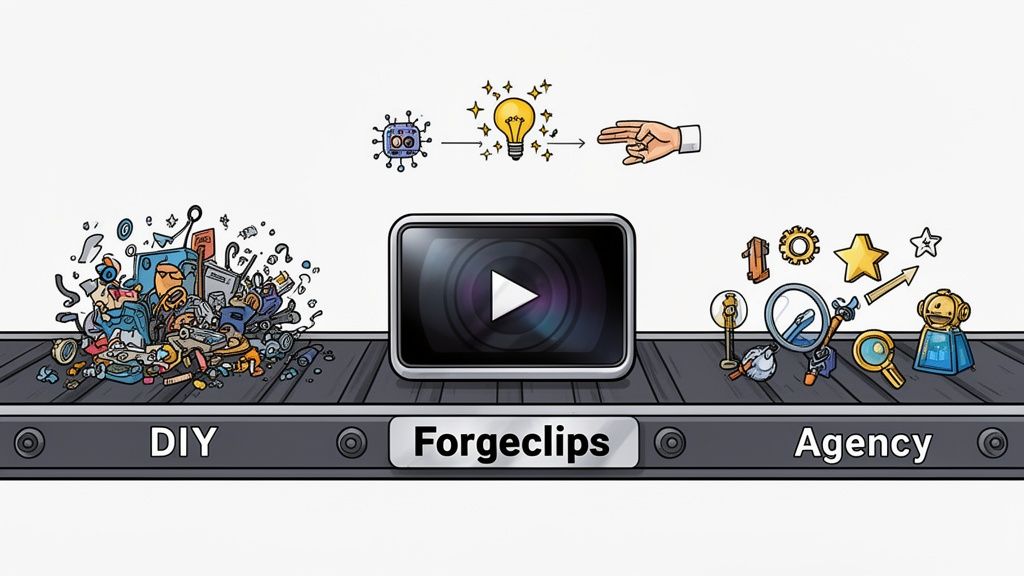
Forgeclips is our answer. It isn't just a library of video storyboard templates; it's a performance-driven framework built on the principles of structure and clarity we've been discussing. We built this system to be the intelligent middle path—the one that sidesteps the usual production nightmares.
The Hybrid Approach For Speed and Quality
Our framework pairs the proven structure of a storyboard with an AI-assisted, human-polished production process. This isn’t about replacing human creativity. It’s about using AI for what it does best—speed and efficiency—while our professional editors add the essential final polish that makes your video work.
This hybrid model directly solves the dilemma for SaaS founders and product managers by delivering:
Studio-Quality Results: Your videos look professional and build trust, without the five-figure agency price tag.
Unmatched Speed: We turn around most projects in days, not weeks, so you can launch campaigns and features without missing a beat.
Zero Time Sink: You completely skip the learning curve and frustration of DIY editing tools.
The goal isn't just to make a video. It's to create a high-performing asset that clearly explains your product and drives growth. Our framework is engineered to do exactly that.
The Forgeclips approach is a philosophy of structure. We provide the guardrails so you can focus on your message, not the mechanics of video production. It’s the most direct path to creating clear, compelling SaaS demos that prioritize both your timeline and your ROI, finally breaking the gridlock between cost, time, and quality.
Your Storyboarding Questions, Answered
If you’re asking these questions, you’re on the right track. Getting the small details right during planning is what separates a video that converts from one that just gets scrolled past. Here are the most common questions we hear from founders and product teams.
How Long Should My Product Demo Actually Be?
For a top-of-funnel video, like one on your landing page, you have 60-90 seconds. That's it. Your only job is to hook the viewer with a problem they recognize and deliver that "aha!" moment where your solution becomes obvious.
For deeper, in-app onboarding or specific feature tutorials, you can stretch to 2-3 minutes. But that only works if every single scene provides immediate, tangible value to the user. If it doesn't, cut it.
Do I Need to Be a Designer to Use a Storyboard Template?
Not at all. Think of a storyboard template as a communication tool, not an art project. Its entire purpose is to create structure and alignment before you spend a dime on production.
Focus on what matters: the sequence of user actions, the script for each scene, and the critical UI elements you need to show. Seriously, stick figures are completely fine. Clarity beats artistic talent here every time.
Can I Use These Templates for Other Kinds of Videos?
Absolutely. This same structured approach is perfect for almost anything you need to communicate visually.
We see teams use them for:
Feature announcements
Animated explainer videos
Internal company updates
Even short, punchy social media ads
The core principle is universal: plan your message with a clear beginning, middle, and end. It’s the fastest way to create a video that works and shows you respect the viewer's time.
Ready to skip the chaos of DIY and the high costs of a traditional agency? Forgeclips gives you a performance-driven framework that turns your product details into a studio-quality video in a matter of days.