You spent weeks on that landing page video, didn't you? Let's be honest, it's probably not working as hard as you are. The best SaaS product demo videos do more than just show off features; they prove your product solves a real, painful problem. They act as your best salesperson, working 24/7 to turn a prospect's curiosity into conviction.
Why Most SaaS Product Demo Videos Fail
You poured time and money into a product demo, but the trial sign-ups are flat. Bounce rates are high, and your support team sounds like a broken record, explaining the same core features on repeat.
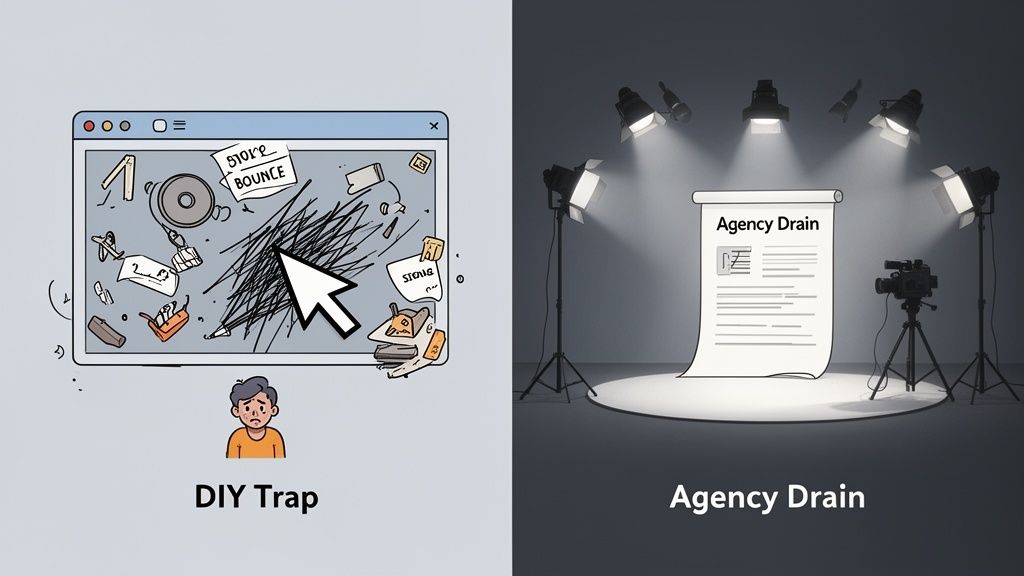
Sound familiar? It’s not your fault; it’s the outdated playbook most SaaS companies still follow. Your demo likely fell into one of two very familiar traps.
The Two Broken Approaches
Most teams I talk to feel stuck between two bad options, each with its own set of frustrations.
The DIY Trap: This is the quick-and-dirty screen recording. It’s fast and cheap, sure, but it almost always ends up as a rambling, unfocused tour of your entire UI. The result? A confusing mess that leaves prospects more lost than when they started. It communicates features but completely fails to show value.
The Agency Drain: On the other end of the spectrum is the high-production agency video. It looks slick and professional, but it costs a fortune and takes months to produce. By the time it’s finally live, your UI has already changed, and the "story" is more marketing fluff than a clear solution to a customer’s actual problem.
Both paths lead to the same destination: a wasted opportunity. The DIY approach sacrifices clarity for speed, while the agency route sacrifices speed and budget for a polish that often misses the point entirely.
This is a critical misstep. Research shows that while 98% of people watch a demo video to learn about a product, buyers demand immediate proof and often lose interest within the first 8-12 seconds. If your video doesn't deliver that value instantly, they're gone. You can discover more about the impact of instant value in SaaS videos from recent studies.
The core problem is that neither approach prioritizes structured clarity—the one thing a potential customer actually needs to make a decision. They don't need cinematic fluff or a raw screen share; they need to see their problem being solved, quickly and convincingly.
This failure has real consequences. It means your landing page isn’t converting, your best features remain undiscovered, and your sales team is stuck doing live demos for unqualified leads who could have been educated by a simple, effective video. It’s time to find a better way.
I've seen this play out hundreds of times. Teams either get stuck in endless DIY revisions or burn through their budget on a video that's obsolete on arrival. Let's compare these flawed methods with a more modern, structured approach.
The Old Way vs The Structured Way
Aspect
DIY Screen Recording
Expensive Agency Video
Structured Framework
Speed
Fast, but often rushed
Extremely slow (months)
Very fast (hours or days)
Cost
Low (mostly time)
Very high ($10k-$50k+)
Affordable and predictable
Clarity
Low, often confusing
High polish, but story can be weak
High, story-driven and clear
Relevance
Quickly outdated
Often outdated by launch
Easy to update with UI changes
Focus
Feature-dump
Fluffy "brand story"
Solves a specific viewer problem
The table makes it obvious. A structured framework gives you the clarity and polish of an agency video with the speed and flexibility of a DIY approach. It's the best of both worlds, designed to actually convert viewers.
A Demo Is a Story, Not a Tour
Think about your best users—the ones who truly get your product. They didn't just wander through your UI, clicking buttons at random. They followed a narrative. They came with a nagging problem, found a specific feature that saved the day, and left with a tangible, satisfying win.
Your SaaS product demo videos must do the exact same thing.
The single biggest mistake I see founders make is creating demos that feel like a house tour. "And over here is the integrations menu... and on your left, you'll find the settings panel..." This is a guaranteed way to make a prospect’s eyes glaze over. They don’t care about your features in a vacuum. They care about their problems.
A great demo isn't a visual user manual; it's a persuasive story. It hones in on that one "aha!" moment that makes a user finally understand your value. Your goal is to tell a 90-second story that makes clicking "Sign Up" feel like the only logical next step.
The Problem-Agitate-Solve-Proof Framework
To stop being a tour guide and start being a storyteller, you need a framework. Forget trying to show off every single feature. Instead, build your entire narrative around a simple, powerful structure: Problem-Agitate-Solve-Proof (PASP).
This isn't just some marketing theory. It’s a practical scriptwriting tool that forces you to stay focused on the viewer's world, not just your product's. It ensures your demo connects emotionally before it ever starts explaining functionally.
Here’s how it works:
Problem: Start by stating the specific pain point your ideal user deals with every day. Use their language. For instance, "Tired of manually copy-pasting data between your CRM and your email marketing tool?" This immediately grabs the right people and makes them lean in.
Agitate: Don't just state the problem—twist the knife a little. Remind them of the real frustration it causes. "It wastes hours every week, leads to embarrassing data entry errors, and leaves you constantly worried your contact lists are out of sync." This builds tension and makes the need for a solution feel urgent.
Solve: Now, and only now, you introduce your product. Position your UI as the clear, obvious hero that resolves the conflict you just agitated. Show it, don't just say it. "With our one-click sync, you connect both apps in seconds. Watch." The UI becomes the hero of the story.
Proof: Finally, provide visual proof of the "after" state. Show the successful outcome in the interface. "Now, your data is always in sync, your campaigns are more accurate, and your team gets hours back each week." This is the satisfying payoff that closes the loop.
Scripting Your SaaS Demo Story
Wrapping your video around this framework demands a tight script. A script isn't about memorizing lines; it’s about structuring your ideas for maximum impact and clarity. It’s absolutely critical to know how to write a script for a YouTube video that captivates and converts if you want your demo to tell a compelling story instead of just listing features.
Start by jotting down your PASP points as a simple outline. Focus on a single workflow that nails your product's core value. If you're not sure which one to pick, think about the one feature that makes your happiest customers rave about you. That's usually where your best story is hiding. We offer more detailed guidance on this in our guide on how to make a script.
And please, ditch the jargon. Use simple, direct language. The goal is to sound like you're having coffee with a peer, not like a robot reading a feature list. Keep your sentences short and your message sharp. This narrative approach is what turns passive viewers into engaged prospects who see themselves in the story—and see your product as their essential next chapter.
The Blueprint for a High-Converting SaaS Demo
Moving from abstract storytelling theory to practical execution is where most teams get stuck. It’s one thing to know you need a story; it’s another to actually build one. This section is your concrete playbook for creating a polished, high-converting SaaS demo without the Hollywood budget or long agency timelines.
We're focusing on structured clarity, not high-production fluff. The goal is a professional, compelling video that respects the viewer's time and drives them to act. It's about getting the essentials right: a tight script, clean audio, and crisp UI footage.
Scripting with a Simple Template
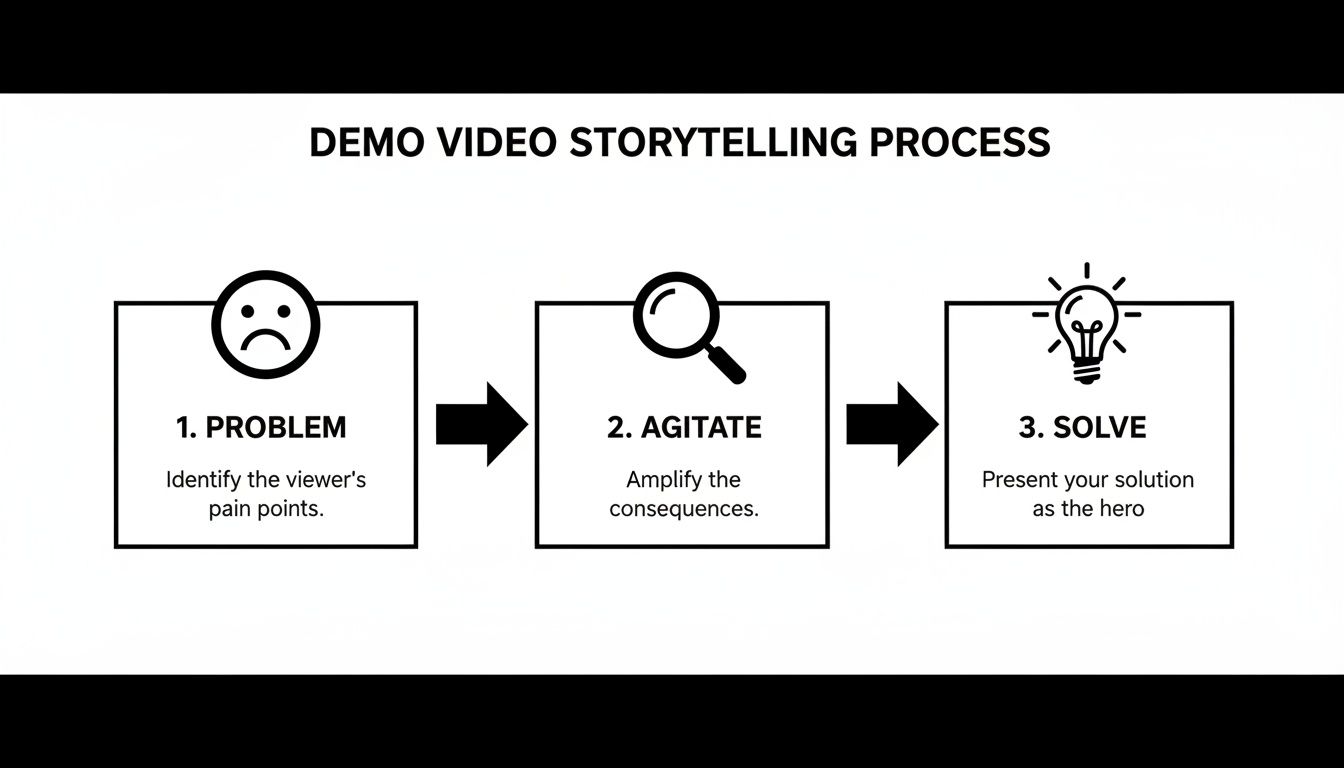
A script is your single most important tool. It’s not about being rigid; it’s about being disciplined. A script turns a rambling, feature-heavy tour into a sharp, persuasive argument. Following the simple Problem-Agitate-Solve framework, you can build a powerful narrative quickly.
Here’s a fill-in-the-blanks template I've used to get teams started:
The Hook (Problem): "Tired of [specific, relatable frustration]? You spend hours [describing the manual task], and it still leads to [negative consequence like errors or wasted time]."
The Twist (Agitate): "It’s not just annoying; it’s actively costing you [money, opportunities, or sanity]. Every time you have to [repeat the painful task], you’re losing focus on what really matters—growing the business."
The 'Aha!' Moment (Solve): "What if you could solve this in just a few clicks? Watch. With [Your Product Name], you just [key action #1], then [key action #2], and the entire process is handled for you."
The Payoff (Proof): "And just like that, [the problem] is gone. Now you have [positive outcome #1] and [positive outcome #2], giving you back hours to focus on real work."
This structure keeps your demo on track and viewer-focused.
This simple storytelling flow should guide your demo video from start to finish.
The key takeaway is clear: the solution only feels powerful after you’ve properly established the pain it resolves.
Recording a Confident Voice-Over
You don’t need a professional voice actor. In fact, a founder or product manager’s authentic voice often builds more trust. Your goal is clarity and confidence, not a movie-trailer delivery.
Here’s how to get a clean recording without a fancy studio:
Find a Quiet Space: A small room with soft surfaces—like a closet full of clothes—is perfect for dampening echo. Turn off fans, air conditioners, and any notification sounds.
Use a Decent Microphone: Your laptop’s built-in mic won’t cut it. A simple USB microphone like a Blue Yeti makes a world of difference and is a worthwhile investment for any team.
Speak Slowly and Clearly: Talk about 20% slower than you normally would. Enunciate your words and pause between sentences. It gives you room to edit later. And smile while you speak—it genuinely makes your tone sound more engaging.
Pro Tip: Record your audio before you capture your screen. It is so much easier to time your clicks and cursor movements to a pre-recorded audio track than it is to narrate over a video you’ve already recorded. This simple change in workflow makes editing dramatically easier.
Capturing Crisp UI Footage
The visual heart of your SaaS demo is your UI. It needs to be clean, clear, and easy to follow. Shockingly, research on over 200 SaaS companies found that only 30% actually show their product's UI in a demo video. This is a huge missed opportunity. Showing the product in action is what holds attention and proves your claims.
Follow these best practices for a great screen recording:
Use a Clean Account: Record in a "clean" or demo-specific user account. No real customer data, no distracting browser extensions, and no cluttered desktops visible. It signals professionalism.
Set the Right Resolution: Record in a standard 16:9 aspect ratio, like 1920x1080. This ensures your video looks sharp on YouTube and landing pages without weird black bars.
Guide the Viewer's Eye: Your cursor is your pointer. Move it deliberately and smoothly. Let it rest for a moment on the button you’re about to click. Avoid frantic, jerky movements that are hard to follow.
Simple Polishing Techniques in Editing
Editing is where you add that final layer of clarity and polish. You don’t need complex effects; a few simple techniques will make your demo look professional and keep the viewer focused. The goal is to emphasize, not distract.
Zoom and Pan: When you mention a specific feature or button, use a slow zoom to bring it into focus. This is the single most effective way to direct the viewer’s attention.
Use Simple Callouts: A subtle arrow or a colored box can highlight a key area of the screen. Keep them minimal and consistent with your brand colors.
Add Clean Transitions: A simple cross-dissolve between scenes is usually all you need. Please, avoid the star wipes and page peels—they scream "amateur."
Ultimately, a great SaaS product demo comes down to making smart, deliberate choices. A strong story, clear audio, and focused visuals will always outperform a flashy, unfocused video. To truly build a high-converting demo, it's essential to understand how video fits into your entire funnel, helping you increase your website conversion rate over time.
Why One Demo Video Is Never Enough
You’d never run the same exact ad copy on a LinkedIn post, a website hero banner, and a TikTok video. Each channel has its own rhythms, audience expectations, and viewing habits. So why are so many SaaS companies still producing a single, monolithic demo video and expecting it to perform everywhere?
It’s a common trap.
Creating one “master” demo and blasting it across all your channels is a recipe for wasted effort and missed opportunities. A video that’s perfect for your landing page will feel agonizingly slow in a fast-scrolling social feed. A quick, punchy social clip just won't have the depth needed to truly convince a high-intent visitor on your website.
The truth is, an effective video strategy isn't about making one perfect video—it's about adapting your core message to meet users exactly where they are. This doesn't mean you need to blow your production budget. It just means being smart and repurposing your core demo story into formats optimized for specific channels.
Meet Viewers Where They Are
Thinking in formats is how you get the most out of your SaaS product demo videos. Each one serves a distinct purpose in your funnel, from grabbing initial attention on social media to providing the in-depth proof needed to convert a skeptic.
Let’s break down the three primary formats every SaaS team should be using.
16:9 (Widescreen): The Hero Video. This is your classic, landscape-oriented workhorse. It’s the perfect format for your website’s landing page, your YouTube channel, and for embedding in blog posts. The wider canvas gives you the breathing room to tell a more complete story, guide the viewer through a detailed UI workflow, and build real credibility. This is where you house the full 90-120 second version of your Problem-Agitate-Solve-Proof narrative.
1:1 (Square): The Feed Stopper. Square videos are built for the scroll. On mobile feeds like LinkedIn, Instagram, and Facebook, they take up significantly more screen real estate, making them much harder to ignore. These should be shorter, punchier edits of your hero demo—think 30-60 seconds. Get straight to the "Problem" and "Solve," using bold text overlays to grab attention even when the sound is off.
9:16 (Vertical): The Quick Hit. This is the language of TikTok, Instagram Reels, and YouTube Shorts. Here, attention spans are measured in seconds, not minutes. Your goal is to deliver a single, powerful "aha!" moment in under 30 seconds. Find one painful problem and show the one-click solution in your UI. These aren't full demos; they are fast, engaging hooks designed to spark curiosity and drive people back to your main site.
A one-size-fits-all video strategy is like trying to fit a square peg in a round hole—it just doesn't work. By adapting your demo for different formats, you respect the context of each platform and dramatically increase your chances of connecting with your audience.
A Smarter, Scalable Video Workflow
Adapting your content doesn't mean re-shooting everything from scratch. The smart approach is to build your core 16:9 hero video first, getting the script and UI capture just right. This becomes your source material. From there, you can create cut-down and reformatted versions for every other channel.
The Forgeclips philosophy is built on this very principle. Our system delivers your core demo in all three essential formats right from the start. This isn't just about cropping a video; it's about strategically re-editing the story to fit the context of each platform, ensuring your message lands with impact everywhere it appears.
By building your saas product demo videos with multiple formats in mind from day one, you shift from a slow, one-off production mindset to a scalable content engine. You can explore different types of video and see how they work in our examples library. This structured approach lets you maximize your ROI, making sure every second of footage works as hard as possible to attract and convert customers—no matter where they find you.
How to Know If Your Demo Video Is Working
You’ve finished the video. It’s polished, scripted, and live on your landing page. But here’s the uncomfortable truth: a beautiful SaaS product demo video that no one acts on is just a very expensive digital paperweight.
The real work starts now—figuring out if it’s actually working.
It’s easy to get distracted by vanity metrics like 'views'. While a high view count feels good, it tells you almost nothing about whether your video is impacting your bottom line. We need to look deeper, at the numbers that signal real engagement and intent.
Moving Beyond Vanity Metrics
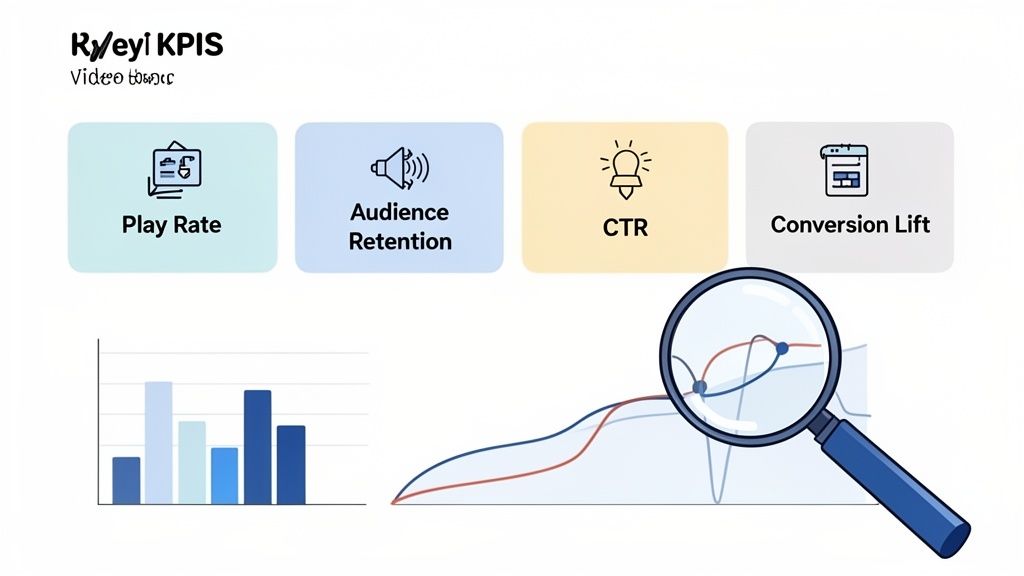
To measure success, you need a simple dashboard of Key Performance Indicators (KPIs). These metrics don't just track eyeballs; they track action. They tell a story about how viewers are responding to your message and help you justify video as a core part of your growth engine.
Here are the four essential metrics you should be tracking:
Play Rate: This is the percentage of page visitors who actually click the play button. It’s the first and most critical hurdle. A low play rate (below 15-20% on a key landing page) is a red flag that your thumbnail, headline, or placement isn't compelling enough.
Audience Retention: This graph shows you exactly where viewers are dropping off. Are you losing them in the first 10 seconds? Your hook isn't strong enough. A big dip when you start explaining a feature? Your explanation is probably too long or confusing. This is your roadmap for re-editing the story.
Click-Through Rate (CTR): This measures how many viewers clicked your video’s call-to-action (e.g., "Start Free Trial" or "Book a Demo"). This is where the rubber meets the road. A strong CTR proves your video is not just being watched, but is actively persuading people to take the next step.
Conversion Lift: This is the ultimate proof of ROI. It answers the question: "Do people who watch our video convert at a higher rate than those who don't?" Tracking this requires a bit more setup with analytics tools, but it's the single most powerful metric for proving your video's business value.
The goal isn't just to make a video; it's to create an asset that directly contributes to sign-ups and revenue. If a metric doesn't connect to that outcome, it's probably a distraction.
Key Demo Video Metrics and What They Mean
To make this even more scannable, here's a quick table breaking down what to track, what good looks like, and what to do when the numbers aren't hitting the mark.
Metric
What It Measures
Good Target
Action to Improve
Play Rate
% of visitors who click play
15-20%+
A/B test your thumbnail, headline, or video placement.
Audience Retention
Where viewers drop off
40-50%+ avg. retention
Re-edit your intro hook or trim confusing sections.
Click-Through Rate (CTR)
% of viewers who click your CTA
5-10%+
Make the CTA clearer, stronger, or time it better.
Conversion Lift
Increase in conversions vs. non-viewers
10-20%+ lift
Refine the video's core message to better match user intent.
Think of this table as your diagnostic tool. It helps you pinpoint exactly where the problem is so you're not just guessing what to fix.
Interpreting the Data and Taking Action
Tracking these numbers is just the start. The real value comes from interpreting what they mean and using that insight to improve.
For instance, great SaaS demos that lead with pain points and visualize clear workflows see better performance across the board. The best ones are typically just 1-2 minutes long to hold viewer attention. By tracking demo request rates and aiming for a 5-10% CTR on your landing page, you can validate your video’s effectiveness.
If your play rate is low, A/B test your thumbnail. Try a still from the most visually interesting part of your UI versus a smiling human face. If retention drops off a cliff at the 45-second mark, go back to your script and be ruthless about cutting anything that isn't essential.
Understanding the numbers transforms video production from a guessing game into an iterative process of improvement. For a deeper dive into these concepts, check out our guide on understanding video marketing conversion rate.
We’ve seen the pitfalls and laid out the playbook for creating better SaaS product demo videos. But knowing what to do and actually finding the time to execute are two entirely different worlds. For busy founders and overstretched product teams, that gap is everything.
This is exactly why a framework-driven philosophy works. It’s the practical sweet spot between the "DIY Trap" of messy, time-sucking screen recordings and the "Agency Drain" of slow, budget-breaking projects.
Forgeclips isn’t just another video service; we are a structured system built on proven marketing principles. We believe you shouldn't have to choose between clarity and speed.
The Best of Both Worlds
Our entire process was built from the ground up to solve the classic conflict between cost, quality, and timelines. We do this by blending intelligent automation with expert human oversight, giving you the best of both.
Here’s a look under the hood:
Smart Systems for Raw Speed: We use AI-assisted tools for the heavy lifting. Think generating initial script outlines from your product details or creating clean, consistent voice-overs. This is how we shrink production timelines from weeks down to a matter of hours.
Human Expertise for Story & Nuance: An AI can’t tell a compelling story on its own. Our team—experts who live and breathe both software and storytelling—refines every single video. We polish the script, perfect the pacing, and ensure every edit serves the narrative.
This hybrid model lets us deliver polished, multi-format demos—ready for your website, LinkedIn, and social feeds—in just a few days. It's the go-to solution for founders who need to move fast and product managers who demand scalable clarity without a drop in quality.
We built Forgeclips on a philosophy of structure. It’s the belief that a well-designed system—not a bigger budget or more hours—is what creates truly effective demo videos.
Why Structure Is the Only Way to Scale
Improvising your demo videos might work once or twice, but it’s not a strategy you can build a brand on. As your product evolves and your marketing needs expand, you need a process that’s repeatable.
A structured framework delivers that predictability.
Because our process is systematized, you get consistent results every time. Whether you’re creating a hero demo for your landing page, a quick feature update video, or a full series of onboarding clips, the quality stays high and the turnaround stays fast. It’s how you build a library of high-performing video assets without derailing your product roadmap or torching your marketing budget.
This is structure without the stiffness—a reliable system that frees you up to focus on what you do best: building an amazing product.
Frequently Asked Questions
After creating hundreds of demo videos, we've noticed the same questions pop up again and again from founders and marketers. Here are our straight-up answers to the most common sticking points we see.
How long should a SaaS demo video be?
Keep it between 60 and 120 seconds. That's the sweet spot. We've seen the data, and viewer attention falls off a cliff right after the two-minute mark. Your only job is to solve one core problem and prove your value—fast. If you’re tempted to show more, don't. A much better approach is to break down complex features into a series of shorter, snackable videos.
Do I need a professional voice-over?
Honestly, probably not. In the SaaS world, authenticity almost always beats polish. Hearing a clear, confident voice from a founder or product manager builds a genuine connection. It shows you know your stuff and you’re passionate about what you've built. That builds more trust than a hired, generic voice ever could. Just get a decent USB mic, find a quiet room, and speak clearly.
What's the single biggest mistake people make?
Trying to show every single feature. It’s so easy to fall into this trap because you love your product and want to show off everything it can do. But you're actually creating a visual user manual, not a persuasive sales tool. It just overwhelms people. Instead of a feature-dump, tell a story. Focus on solving one specific, painful problem for one type of user. That sharp focus is what makes your video effective.
Should I hire an agency or do it myself?
This choice is a classic trap. DIY is fast but often messy and unclear. Agencies are polished but slow and expensive, often delivering a video after your UI has already changed. A third option is a structured, framework-based system (like Forgeclips) that gives you the speed of DIY with the clarity of an agency, at a predictable cost.
How do I measure the ROI of my demo video?
Look beyond 'views'. Track Play Rate (% of visitors who click play), Audience Retention (where viewers drop off), Click-Through Rate on your CTA, and most importantly, Conversion Lift (do viewers convert better than non-viewers?). These metrics connect your video directly to business goals like trial sign-ups and revenue.
Tired of the endless loop of DIY edits and expensive agency quotes? Forgeclips offers a structured, framework-based approach to creating polished SaaS product demo videos in days, not months. Start creating high-performing videos with Forgeclips.